
Databricks Endpoint
Databricks
Databricks is one of two destinations that do two jobs. It lands Parquet
files in a Unity Catalog volume, and it can then load those files into a table
you can query.
This page covers the first half: the connection, the identity it runs as, and
where the files go. What happens to them afterwards is set per task, on the
Loading a Lake Table page.
The form is two sections: Connection, then Landing.
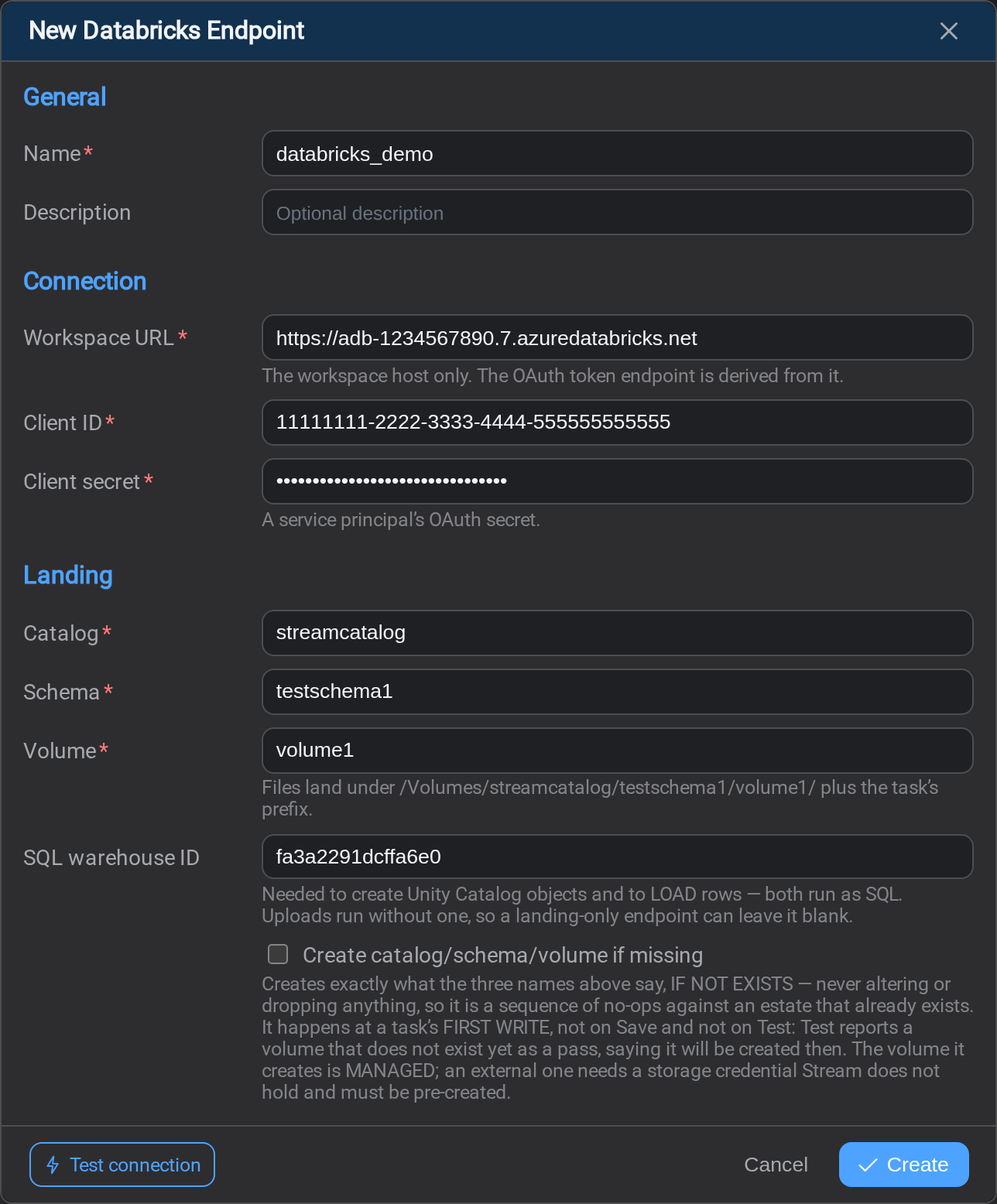
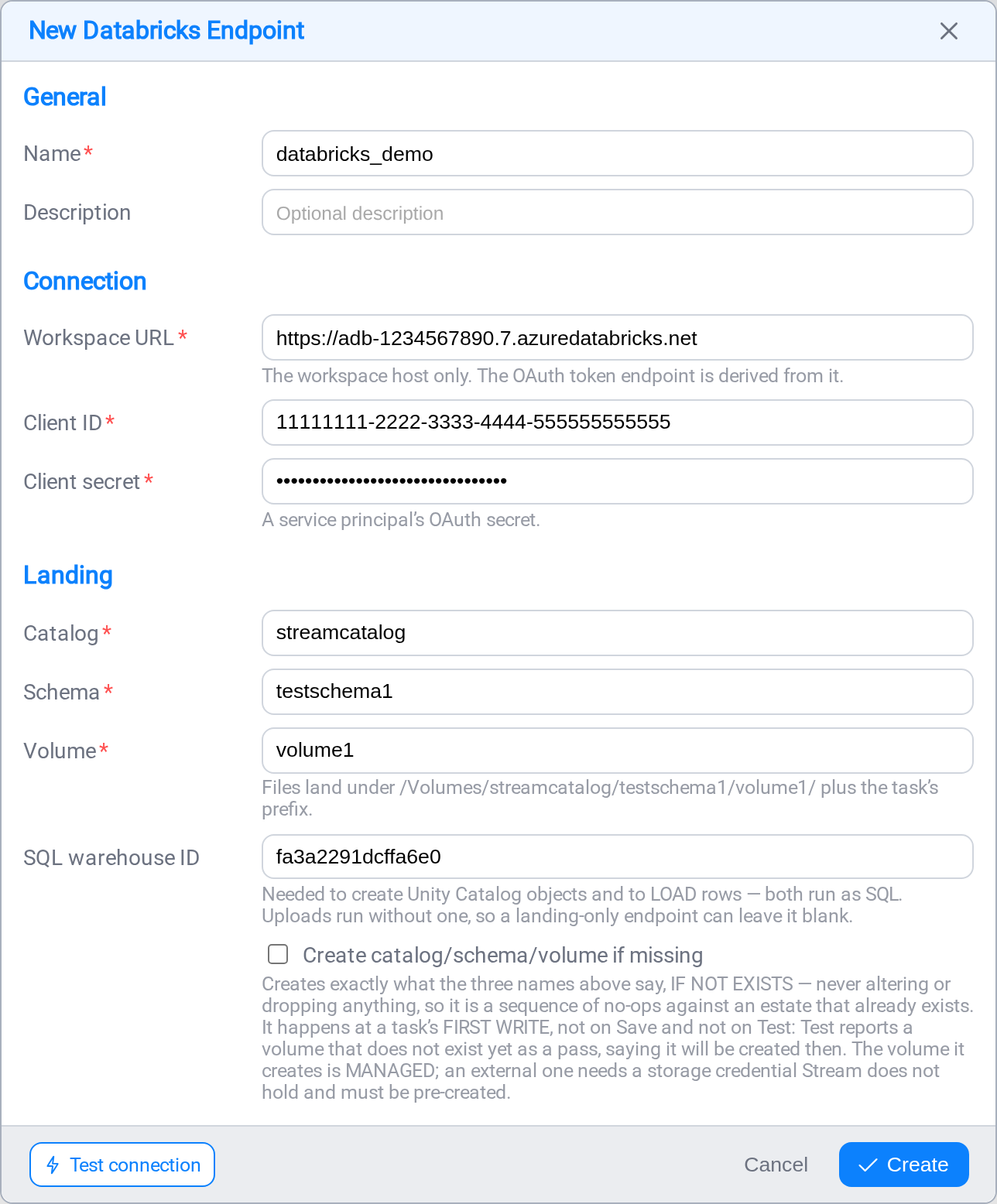
Connection
| Field | Notes |
|---|---|
| Workspace URL | The host on its own, no path |
| Client ID | The service principal's application ID |
| Client secret | Its OAuth secret: stored encrypted, never sent back to the browser |
Where to find the workspace URL
It is the first part of the address you see when signed in to Databricks. Open the
workspace in a browser and copy everything up to the first /:
https://adb-1234567890123456.7.azuredatabricks.net
https://dbc-992e56f4-9e01.cloud.databricks.com
Paste that and nothing more. Stream derives the OAuth token endpoint from it, and
the host format differs per cloud, so a workspace ID cannot be turned back into a
URL.
A path here is the common mistake
Copying the address of a notebook or a catalog page brings a path with it:.../explore/data/volumes/main/bronze. The form refuses it and asks for the host
only.
http:// is allowed but warned about
A workspace URL beginning http:// sends the client secret over plaintext. The
form warns rather than refuses, because test environments genuinely use it, but it
should not survive into production.
Setting up the service principal
Stream authenticates as a service principal using OAuth machine-to-machine
(M2M), not as a person with a personal access token.
Why not a personal access token
A PAT belongs to a person and expires. An unattended task authenticated with one
stops on a 401 some morning months later, usually when the person who created it
has moved on, or the day their account is disabled. A service principal has no
such dependency.
1. Create the service principal
In the account or workspace admin settings, add a service principal and give it a
recognisable name: iota-stream rather than svc1. Grant it access to the
workspace Stream will write to.
2. Create an OAuth secret
On the service principal, generate an OAuth secret. You are shown the secret
value once; copy it straight into the endpoint's Client secret field.
The Client ID is the service principal's application ID, shown on the same
page.
3. Grant it Unity Catalog privileges
Everything below is GRANT … TO the service principal by its application ID or by
a group it belongs to. Run these in a SQL editor as a metastore admin or an owner
of the objects.
To land files: the minimum for a task with ingest mode None:
GRANT USE CATALOG ON CATALOG main TO `iota-stream`;
GRANT USE SCHEMA  ON SCHEMA  main.bronze TO `iota-stream`;
GRANT READ VOLUME, WRITE VOLUME ON VOLUME main.bronze.landing TO `iota-stream`;
WRITE VOLUME is what lets Stream add files; READ VOLUME is what lets the load
read them back, and Test Connection's probe file needs both.
To load a table; add these for View, Copy Into or Custom:
GRANT SELECT, MODIFY ON SCHEMA main.bronze TO `iota-stream`;To let Stream create the table, only if you turn on Create table if
missing:
GRANT CREATE TABLE ON SCHEMA main.bronze TO `iota-stream`;To let Stream create the containers, only if you tick Create
catalog/schema/volume if missing:
GRANT CREATE SCHEMA ON CATALOG main TO `iota-stream`;
GRANT CREATE VOLUME ON SCHEMA main.bronze TO `iota-stream`;
Creating a catalog is a metastore-level privilege (CREATE CATALOG on the
metastore) and is worth withholding unless you really want Stream making catalogs.
Two different permissions, commonly confused
Writing files into a volume and creating a table in a schema are separate rights,
and an account is often granted one and not the other. That is exactly why
Create table if missing and Create catalog/schema/volume if missing are
both off by default: turning either on silently would convert a working endpoint
into a permission error at the next run.
4. Give it a SQL warehouse
GRANT CAN_USE ON WAREHOUSE `your-warehouse` TO `iota-stream`;Uploading files needs no warehouse. Creating Unity Catalog objects and runningCOPY INTO both do.
Landing
Three names, not a path:
| Field | Notes |
|---|---|
| Catalog | The Unity Catalog catalog |
| Schema | The schema inside it |
| Volume | The volume name only, not a path |
| SQL warehouse ID | Optional for landing; required to create objects or load a table |
| Create catalog/schema/volume if missing | Off by default |
The form shows the resolved path beneath them as you type:/Volumes/{catalog}/{schema}/{volume}, so the three names read as the one
location they are.
Enter names, not paths
Each of the three is a name. Pasting main/bronze/landing into Catalog is the
easy mistake, and the form refuses it: a path stored there fails later at the Files
API as a 404, which reads like a permissions problem and is not one.
A subdirectory belongs to the task, not the endpoint. Set it as the task's prefix
if you want one.
The catalog and schema are also the table namespace
A task whose map is named readings on this endpoint loads into{catalog}.{schema}.readings. A task whose table belongs somewhere else says so in
its map name: analytics.gold.readings. There is no separate pair of "ingest
defaults" to keep in step with these.
Where to find the SQL warehouse ID
In the workspace, open SQL Warehouses, select the warehouse, and read the ID
from the Connection details tab or from the browser address bar: it is the
hexadecimal string after /warehouses/ (for example fa3a2291dcffa6e0).
It is optional for a landing-only endpoint, and becomes required when Create
catalog/schema/volume is ticked or a task's ingest mode is not None.
Create catalog/schema/volume if missing
Lets you point Stream at an empty workspace. It creates the containers it needs,
outermost first, all IF NOT EXISTS: nothing is ever altered or dropped, so
against an estate that already exists it is a sequence of no-ops.
- It happens at a task's first write, not when you save the endpoint and not
when you test it. Test Connection reports a volume that does not exist yet as a
pass, saying it will be created then. - The volume it creates is managed. An external volume is registered against
cloud storage you already own and needs a storage credential Stream does not
hold, so create that yourself first;IF NOT EXISTSthen leaves it alone.
Test Connection
Three checks, in the order the failures actually happen:
- credentials: an OAuth token is issued for the service principal
- volume: a probe file is written and deleted
- warehouse:
SELECT 1, whenever a warehouse is configured
The list stops at the first failure, so the last row is the one to read.
Databricks documentation
The Databricks pages behind the guidance above:
- Authorize service principal access to Databricks with OAuth: creating the principal and its OAuth secret
- Unity Catalog privileges reference:
USE CATALOG,USE SCHEMA,READ VOLUME,WRITE VOLUME,CREATE TABLE - What are Unity Catalog volumes?: the
/Volumes/catalog/schema/volumelayout, managed versus external - Get identifiers for workspace objects: the workspace instance name and URL
- COPY INTO: the load Stream runs, and why re-running it is safe
Related
- Endpoints: the list, and how a connection is tested
- Loading a Lake Table: the ingest modes, and where the rows go
- Snowflake: the other lake destination