
Patterns
Patterns
A pattern describes a shape, not a list. You draw the relationship once: a weather
station and the pumps beneath it, a batch and the unit that ran it, and Stream resolves
that shape into every combination which actually exists in your plant. Each combination
is a match, and each match is one unit of work for the task built on it.
What they are for
Reading one asset's tags needs none of this. Patterns exist for the questions that
need values from more than one place at the same time.
Those places are sub-hierarchies. A weather station's temperature sits in one branch of
your AF tree and a pump's production sits in another, and the question how does ambient
temperature affect output needs both, on the same row, for every pump on site. The same
goes for time: the temperature belongs to a batch, not to a clock interval, and the
batch is a separate record again.
A pattern is the statement of how those branches belong together. Stream then merges
their data for you: one row per match, carrying values drawn from every asset and every
production event the pattern names.
Two kinds, one idea
| Pattern | Answers | Matches against |
|---|---|---|
| Asset Patterns | Which equipment | Assets and the sub-hierarchy beneath them |
| TimeFrame Patterns | Which production events | AF event frames: batches, phases, downtime |
They resolve the same way, and a task can use both at once. The TimeFrame pattern
supplies the batches, the asset pattern supplies the equipment, and each row the task
writes carries values from both.
And a second group, which does not describe a shape
The Patterns page carries one more kind, and it belongs to a different group
because it behaves differently. A pattern describes a shape and does nothing by
itself — a task reads through it. A sync runs on its own schedule and keeps
definitions at a destination in step with a source.
| Sync | Keeps in step |
|---|---|
| Tag Sync | A destination's tag definitions, against a search of your PI System |
A sync moves no readings. The time-series data behind the tags a Tag Sync keeps in
step is moved by a separate, faster task. The two share a name
because they are the two halves of one job: the pattern owns the definitions, the task
owns the values.
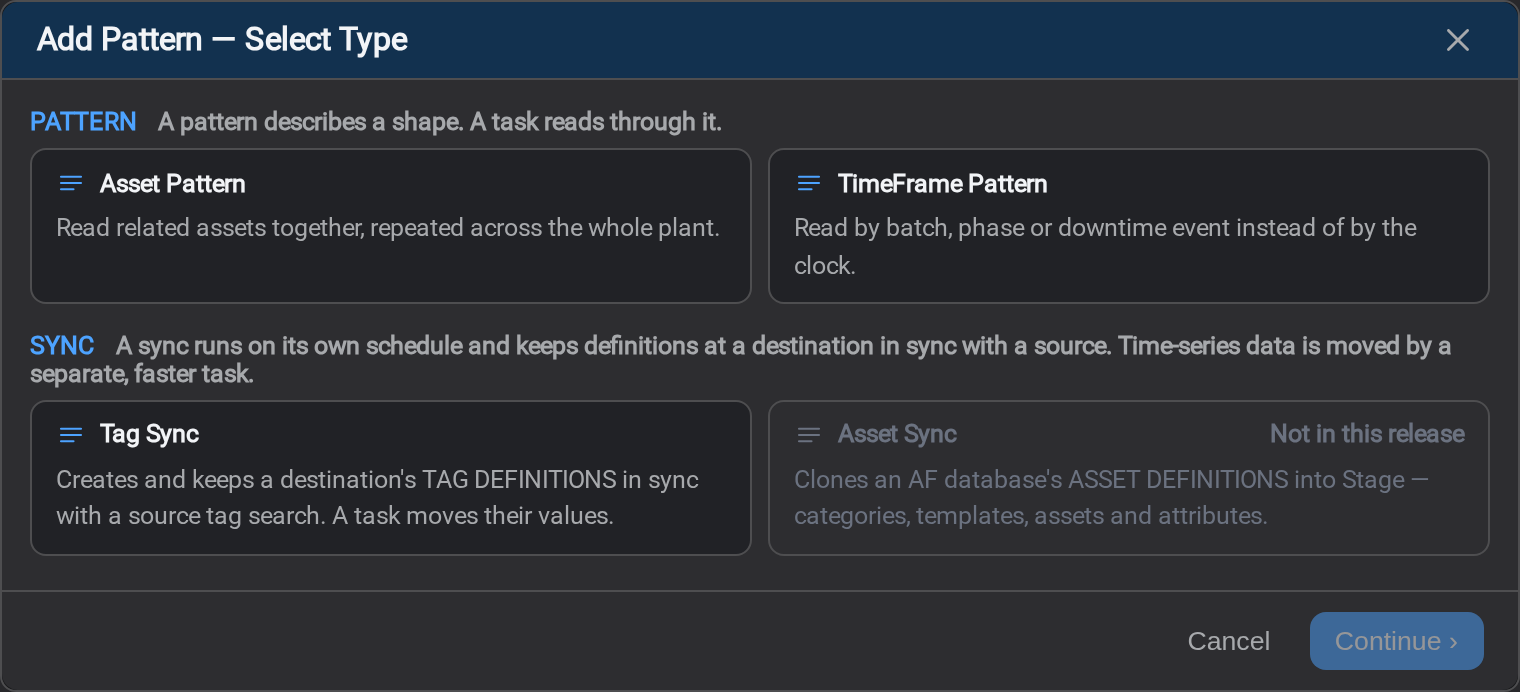
Asset Sync appears in the picker and cannot be selected in this release.
All of them live on one Patterns page. They are one list, told apart by a Type
column, because a pattern that names both equipment and production events is a
single pattern and never belonged half on one page and half on another. Which kind
you are making is asked when you select Add Pattern:
Every match hands the task a set of named keys: e1 for an element, a1 for one of
its attributes, tf1 for a TimeFrame, and those keys are what the
Mapping and Conditions tabs read.
See Object properties for what each key answers to.
Matching costs a search
A task cannot read anything until it knows which assets it matched, so without help it
searches AF on every run. Pattern Cache resolves the matches
once per cadence you choose and stores them, and every task on that pattern reads the
stored list instead.
It is optional. An uncached pattern is correct, only slower.
What's Next
- Asset Patterns: match equipment, and repeat the shape across the plant
- TimeFrame Patterns: match batches, phases and downtime events
- Pattern Cache: resolve the matches on a schedule instead
- Tag Sync: keep a destination's tag definitions in step with your PI System
Related
- Tasks: what runs once per match
- Tag Sync Task: the other half of a tag sync, which moves the values
- Object properties: every property a match's keys answer to