
Tag Sync
Tag Sync
A tag sync keeps a destination's tag definitions in step with a search of your PI
System. You describe which source tags matter, how a destination tag is named and what
it is made of, and Stream finds the ones that already exist, creates the ones that do
not, and keeps their properties up to date as the source changes.
A tag sync moves definitions, not readings
Nothing on this page copies a single value. A tag sync creates the destination tag and
keeps its name, descriptor, units and limits in step; the time series behind those
tags is moved by a separate task, on its own and usually much faster schedule.
This is the one thing to get right before anything else. A tag sync that has run
perfectly leaves a destination full of correctly-defined tags with no data in them,
and nothing on the Patterns page will tell you that is what you are looking at.
You are on step 1 of 2 — this page sets the tags up
Replicating a PI System to another destination is two jobs on two schedules, and
this page is the first of them.
| What it does | Where | |
|---|---|---|
| 1. Tag Sync pattern | Matches every source tag to a destination tag — finding one that is already there, creating it only when it is not — and keeps its definition in step | This page |
| 2. Tag Sync task | Moves the time-series values into those tags | Tag Sync Task → |
Build this one first. The task in step 2 can only move values for tags this pattern has
already resolved, so there is nothing for it to do until this pattern has run.
Already have a working pattern and want the data flowing? Go straight to
Tag Sync Task.
When to use it
- You are standing up a destination (a second PI System, AVEVA CDS,
Cognite CDF, IOTA Stage) and it needs the
same tags your PI System has. - Tags are added to the source regularly and you do not want to create them by hand at
the other end. - A descriptor, a unit or a span was corrected at the source and the destination should
follow.
If you only need a handful of named tags read into a table, you do not need any of
this: a Channels task reads them directly.
Where it lives
A tag sync is a pattern: it sits on the Patterns page beside asset and TimeFrame
patterns, in the Type column as tags. Select Add Pattern and the picker asks
which kind you are making.
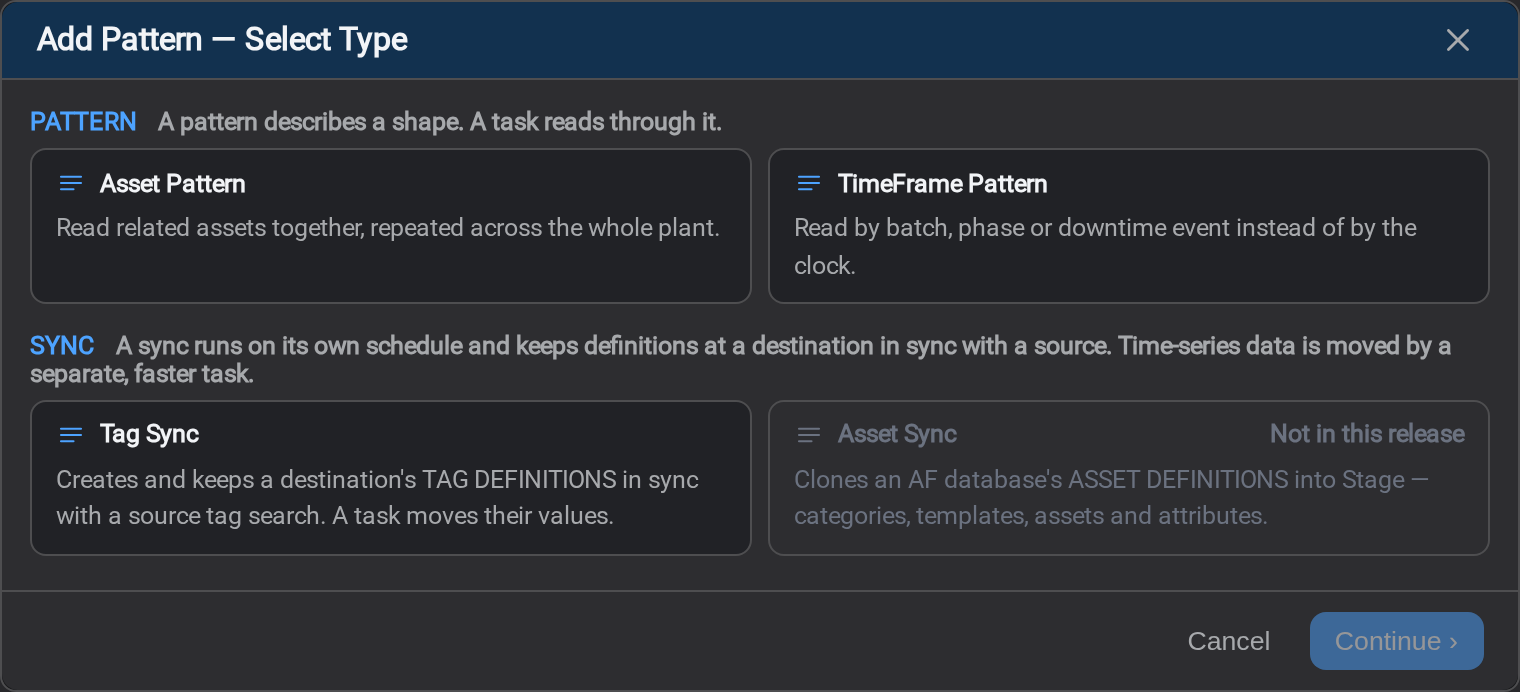
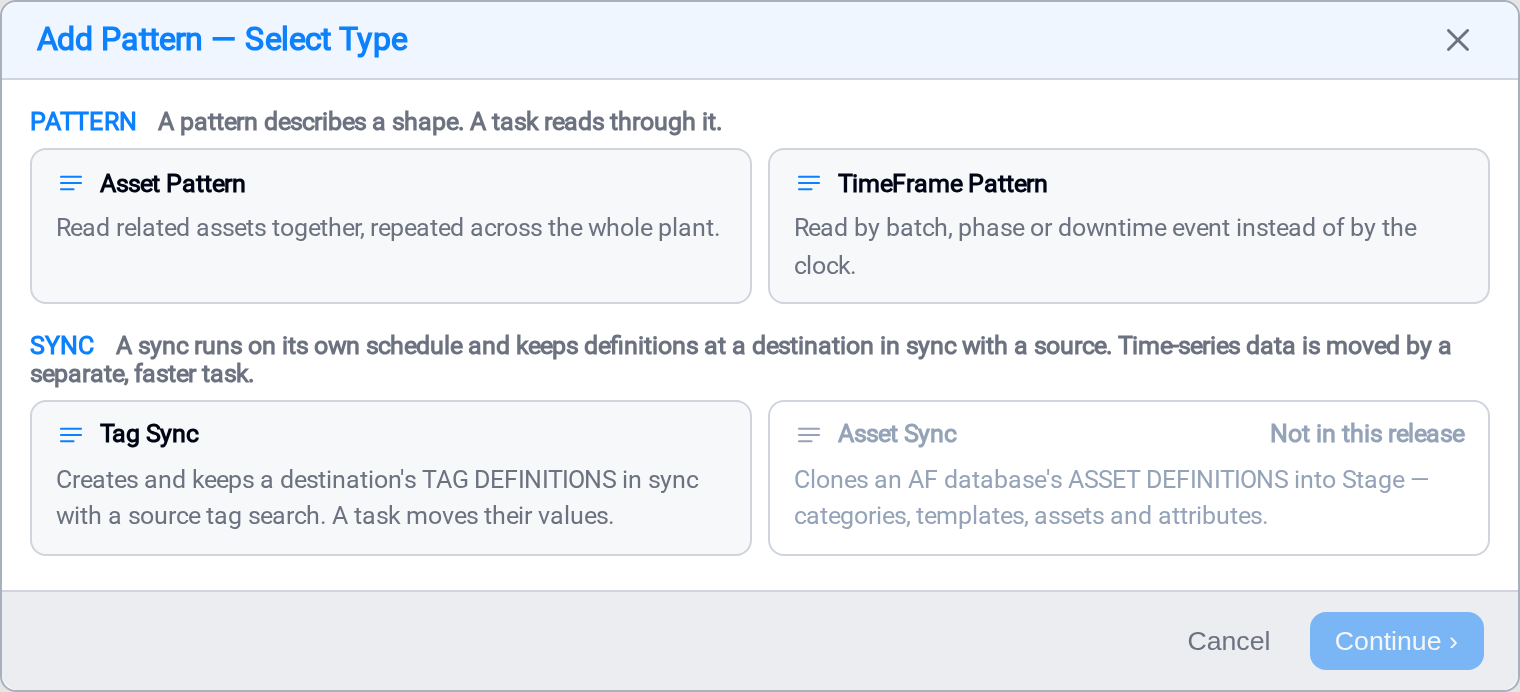
The cards are in two groups, and the group is the thing to read first. A pattern
describes a shape and does nothing by itself: a task picks it up and reads through it.
A sync runs on its own schedule and keeps definitions at a destination in step with
a source.
Asset Sync is shown but cannot be selected in this release.
The tabs
Six tabs, in the order the work happens.
| Tab | What you do there |
|---|---|
| General | Name it, and choose the source and destination endpoints |
| Source Search | Say which source tags this sync covers |
| Mapping | Say how a destination tag is named and what it is made of |
| Destination | Check what is already there, and decide what the sync is allowed to write |
| Schedule | How often the definitions are re-resolved |
| Cached Tags | The stored result: one row per tag pair |
General
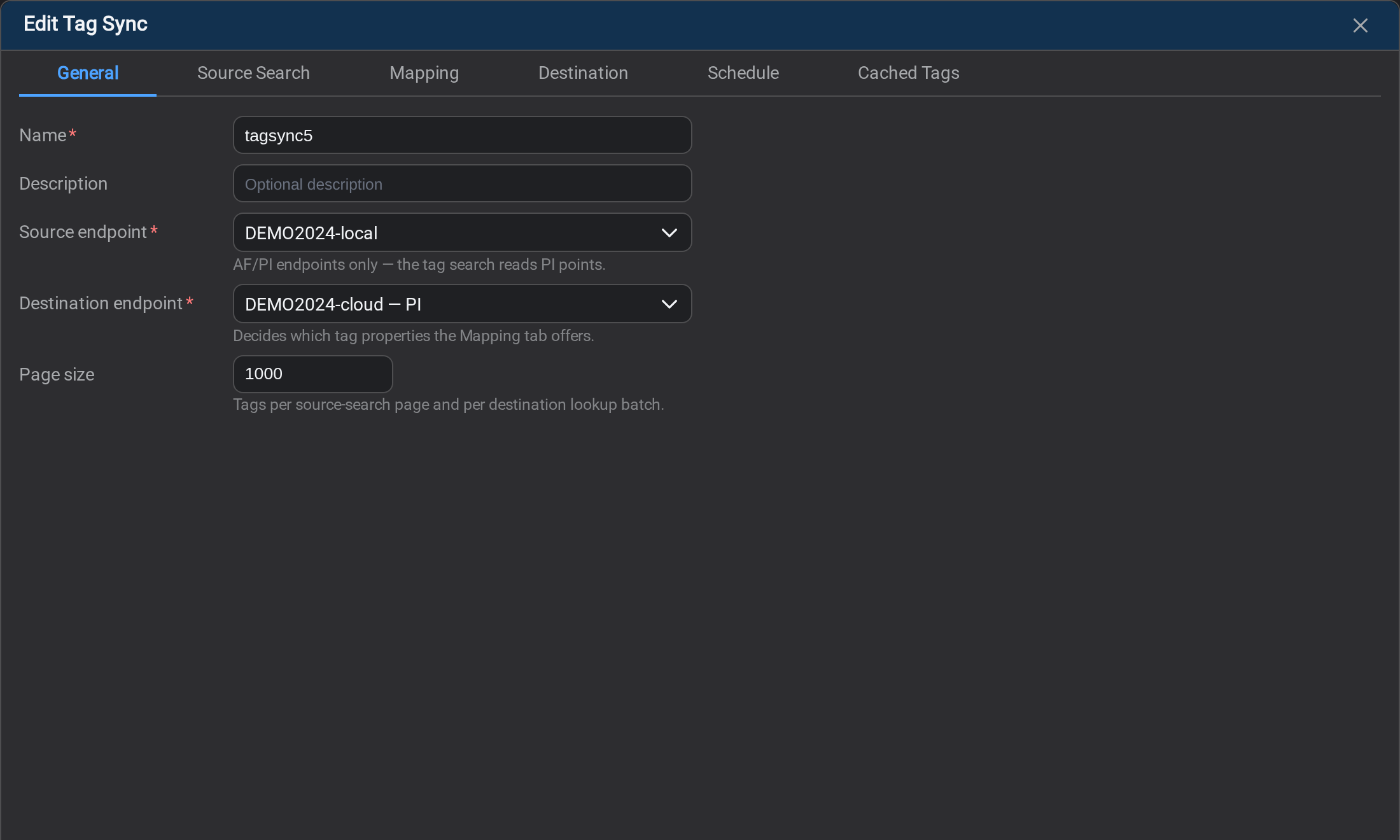
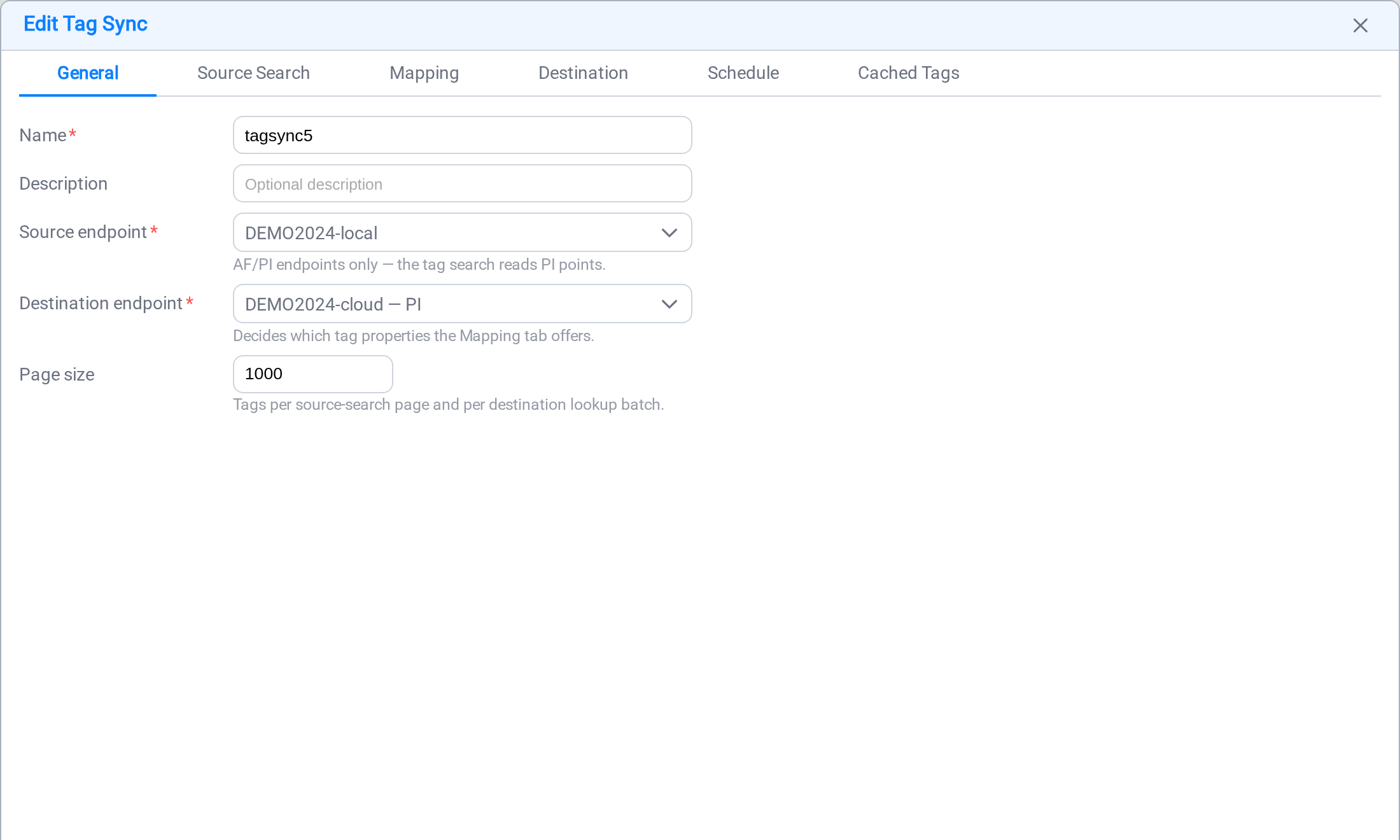
| Field | Notes |
|---|---|
| Name | How the task will refer to this sync |
| Description | Free text; worth recording which destination this is feeding |
| Source endpoint | AF/PI only: the search reads PI points |
| Destination endpoint | Decides which tag properties the Mapping tab offers |
| Page size | Tags per source-search page and per destination lookup batch |
The destination endpoint is the consequential choice, and it is best made before
you touch Mapping. A PI destination is described by tag, descriptor, engunits
and span; a CDF destination by externalId, name, unit and metadata.*; CDS and
Stage by something different again. Changing it later changes the property grid under
you.
A tag sync writes to four kinds of destination: another PI System,
AVEVA CDS, Cognite CDF and
IOTA Stage.
A Stage destination asks one more question here: a Mode picker appears beside
the endpoint, and it decides whether the Stage tag holds its own values or references
them at the source. It is the only destination that asks, and the
Stage page covers what the two modes mean.
Page size is a throughput setting and changes nothing about the result. Lower it if
a remote destination rejects large lookups.
Source Search
This is where you say which tags the sync covers, and there are two ways to do it. They
live in one list and work together.
A hand-picked list
Row zero is the Fixed Tag List, and it is always there. It holds names rather than
a rule, so it is the right choice when the set is small and known: eight tags for a
pilot, a dozen that a customer asked for by name.
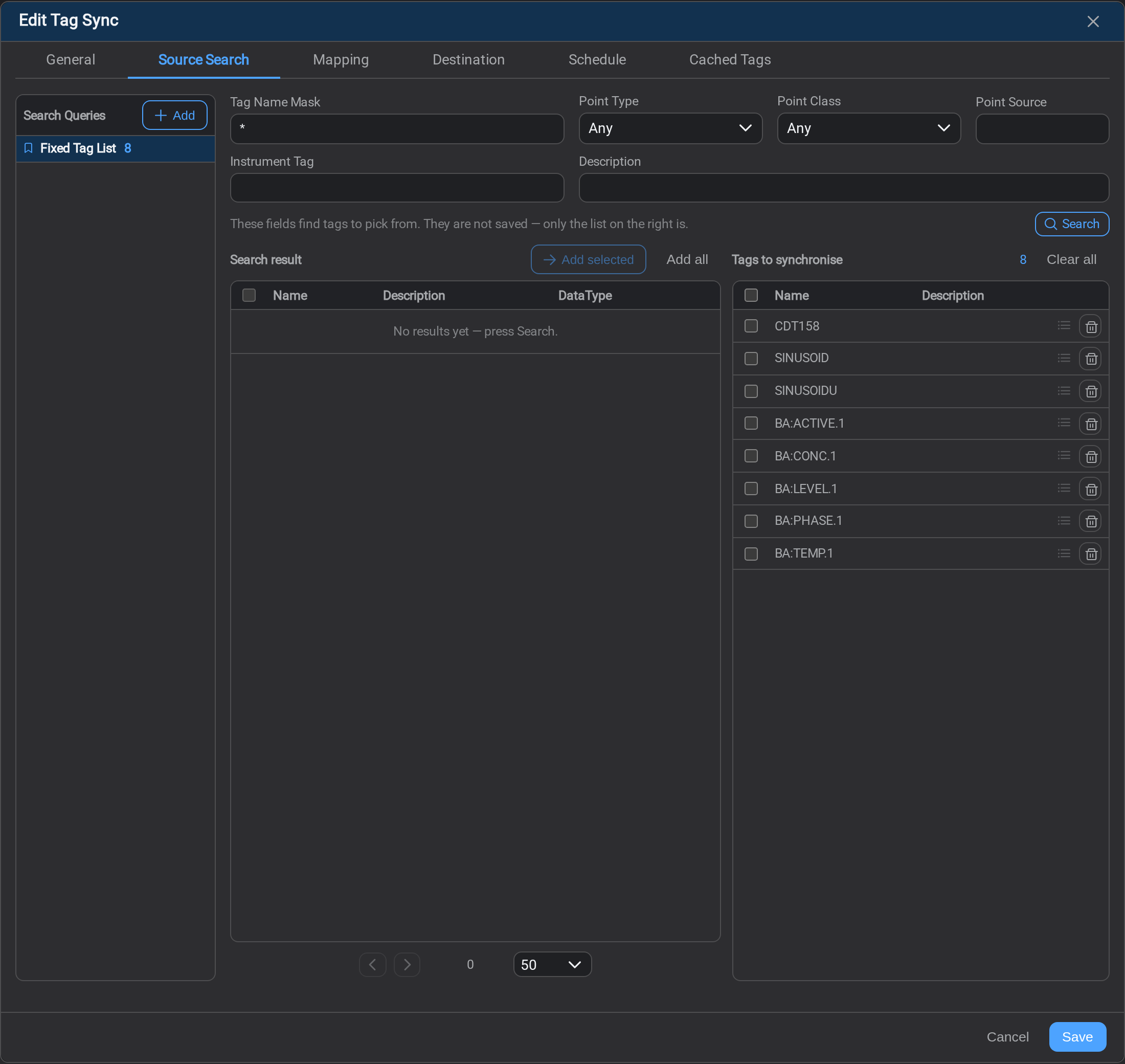
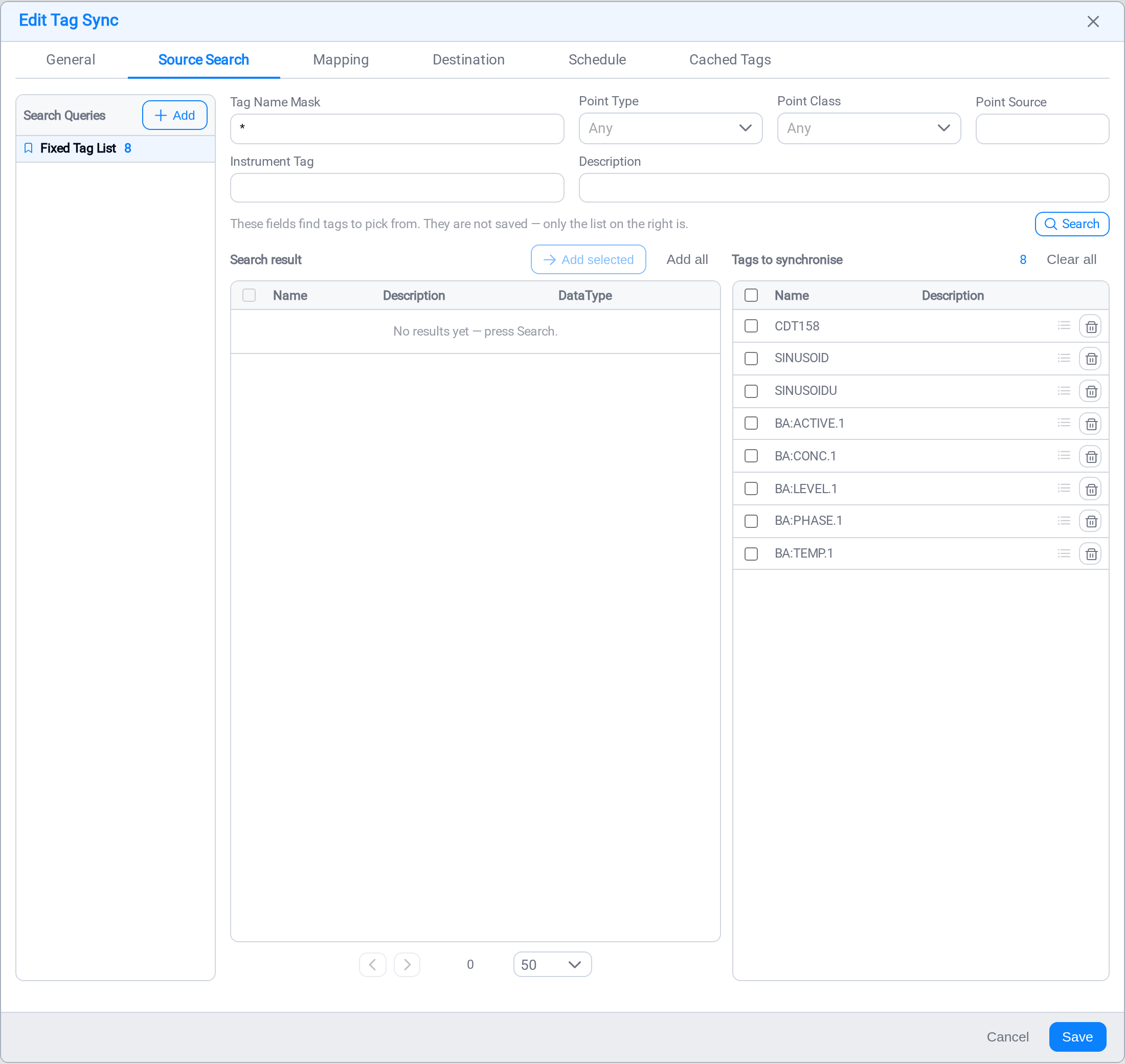
The fields across the top find candidates; they are not saved. Only the list on the
right is. Search, tick what you want, and use Add selected or Add all to move
them across.
A rule
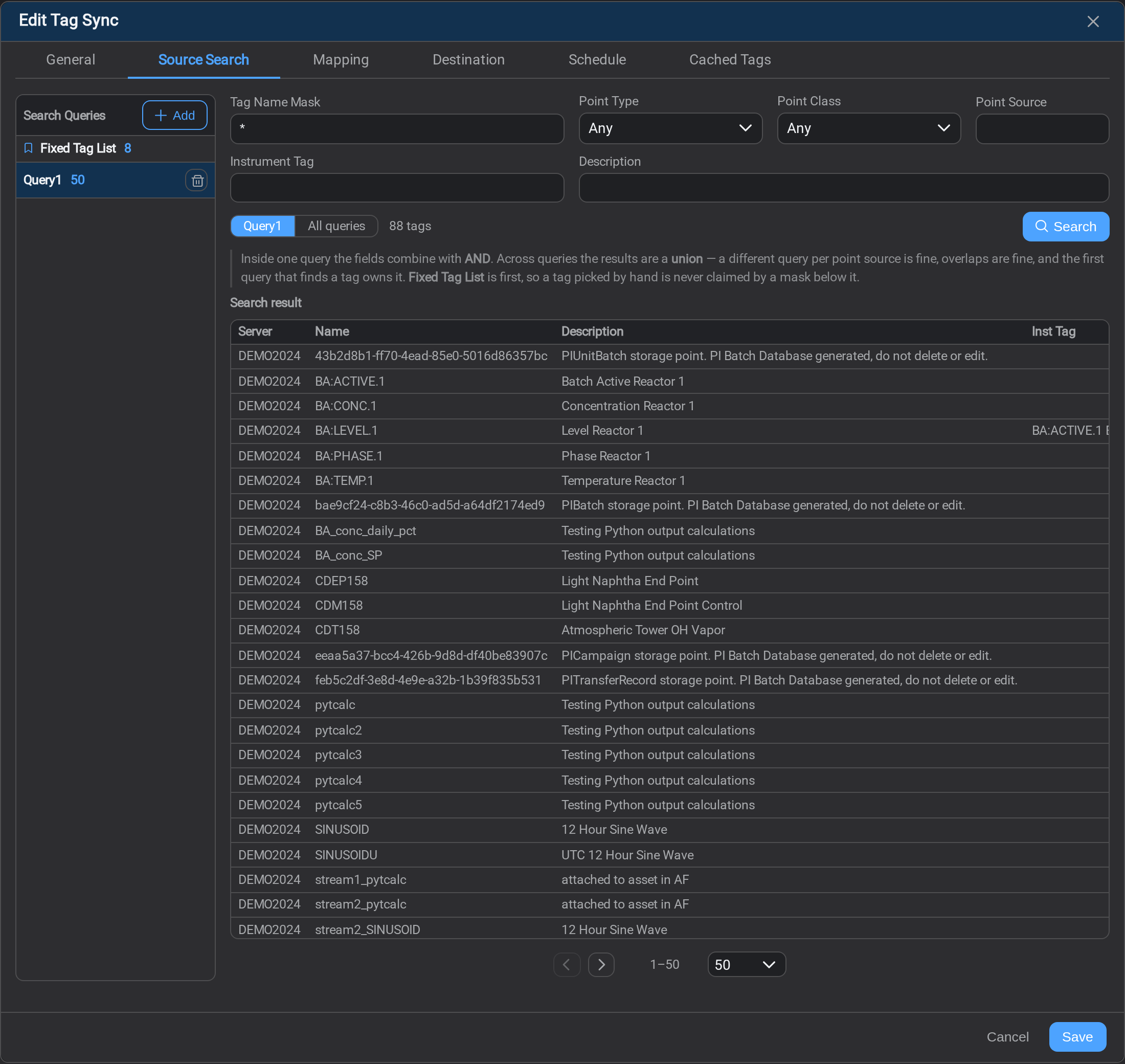
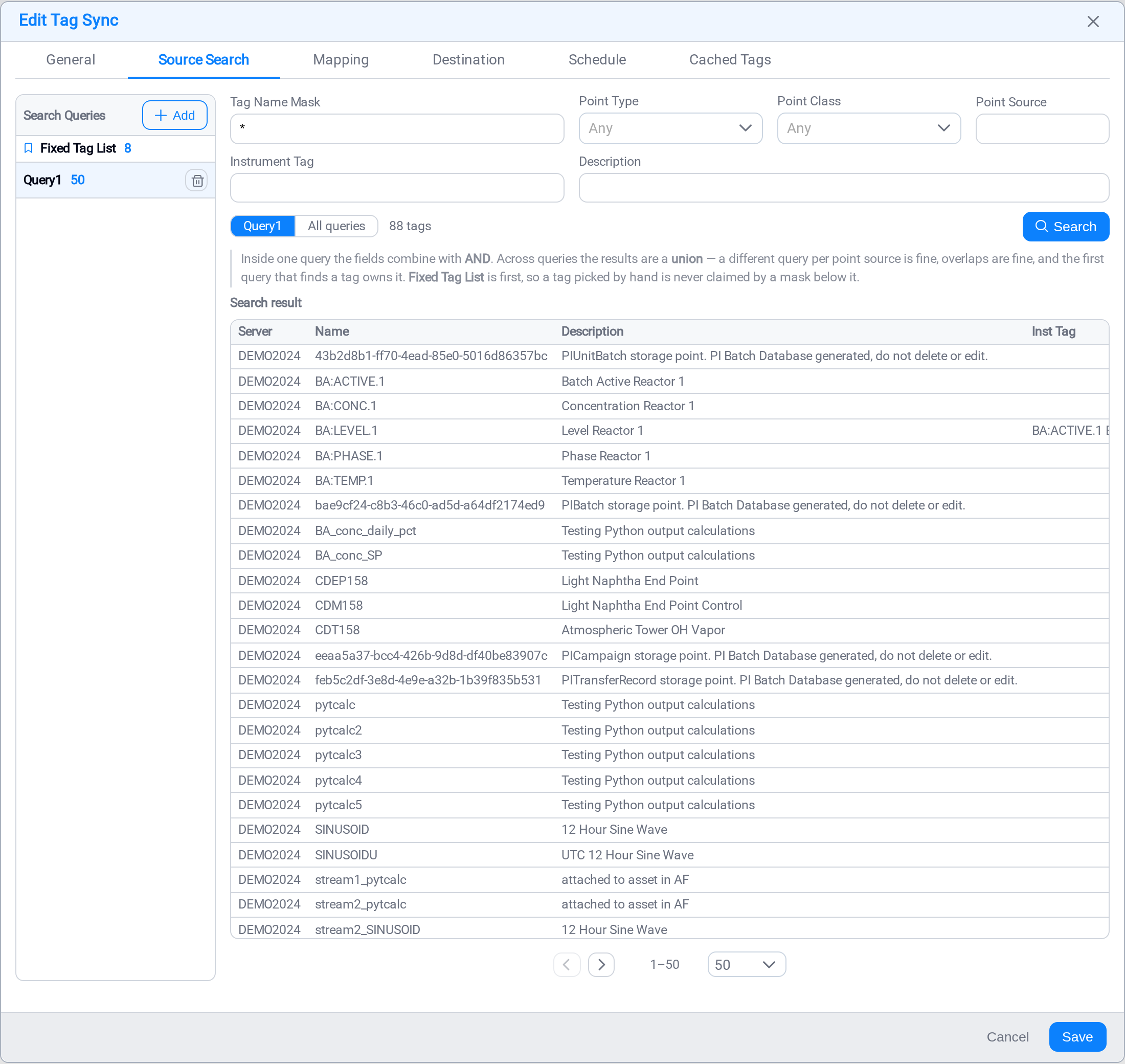
Select Add to make a query that is a rule rather than a list. Everything the rule
matches is covered, now and on every later run, so a tag commissioned next month is
picked up without anyone editing the sync.
| Field | Matches on |
|---|---|
| Tag Name Mask | The point name: BA:* finds everything starting with BA: |
| Point Type | Float32, Digital, String, and so on |
| Point Class | The PI point class |
| Point Source | The point source letter |
| Instrument Tag | The instrument tag |
| Description | The point descriptor |
Inside one query the fields combine with AND. Across queries the results are a
union. A different query per point source is fine, overlaps are fine, and the first
query that finds a tag owns it. The Fixed Tag List is first, so a tag you picked by
hand is never claimed by a mask below it.
Double-click a query's name to rename it. Query1 / Query2 / Query3 stops being useful
the moment there are three of them, and the name is what the result grid's Query
column reports.
The scope switch above the result grid (Query1 / All queries) chooses whether
Search runs the one you are editing or everything at once, and the count beside it
is how many tags the sync covers in total. Run it before you save. A query that
matches nothing is the commonest mistake here, and it is silent: the sync will run,
succeed, and create nothing at all.
Mapping
The mapping says what a destination tag is called and what it is made of. It
applies to every tag the queries find, which is why one mapping covers eight tags or
eighty thousand equally.
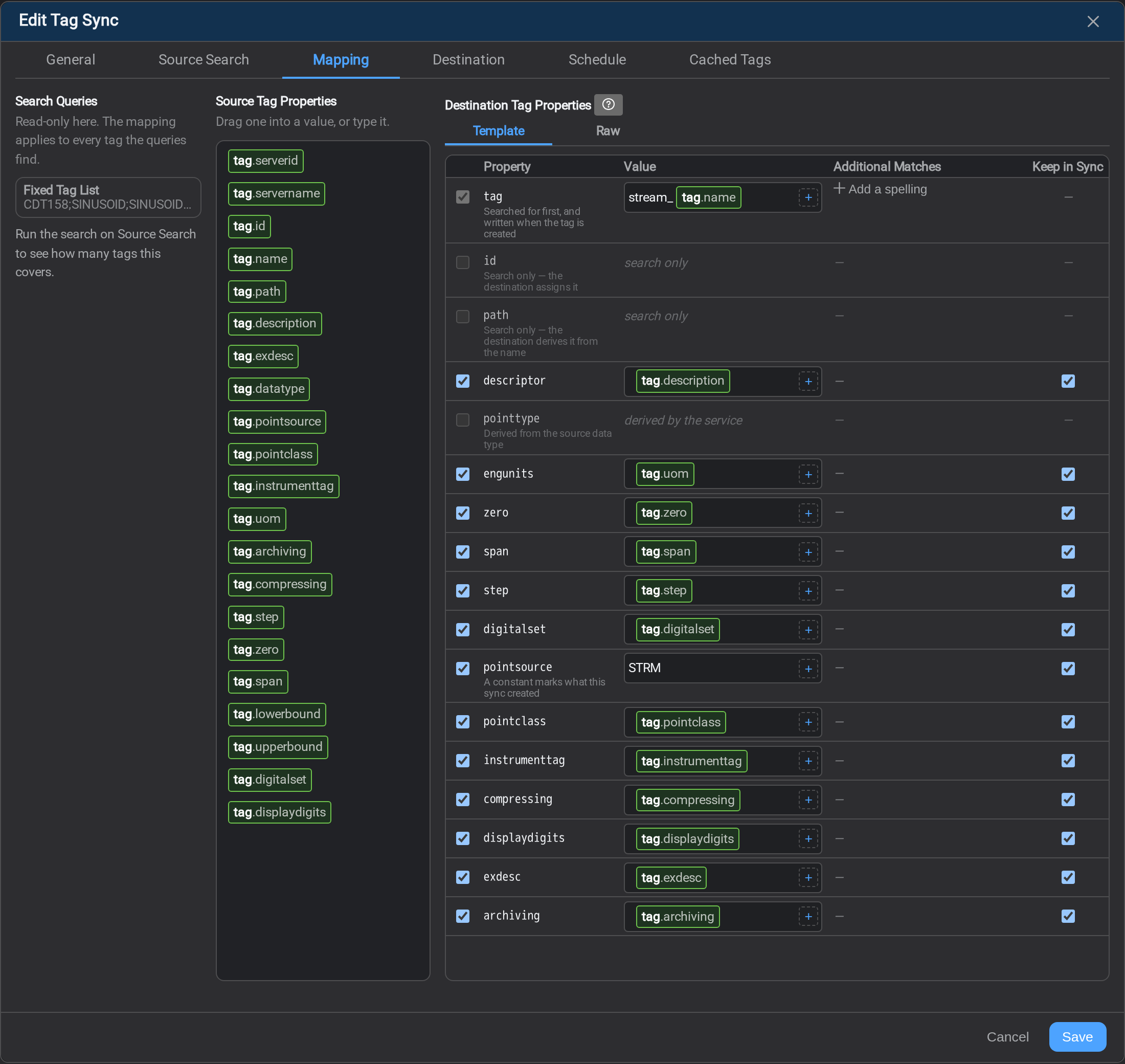
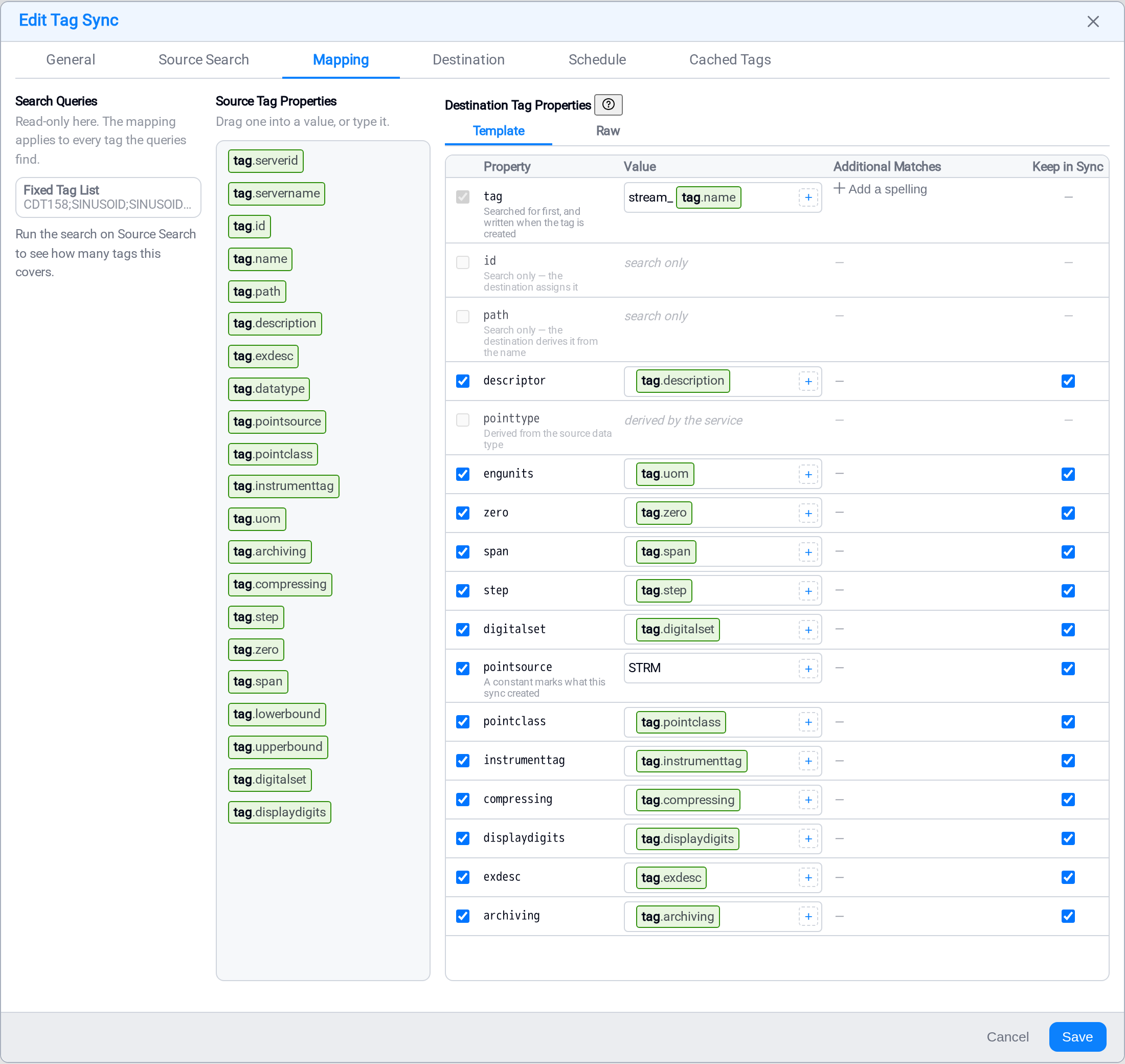
Values are written as templates over the source tag's own properties. Drag a token
from the middle pane into a value, or type it: [tag.name], [tag.description],[tag.uom]. A value can mix text and tokens, so stream_[tag.name] names the
destination tag after the source one with a prefix, which is what the screenshot does.
Four columns, and they do four different jobs:
| Column | What it decides |
|---|---|
| Property | The destination's own property name. Which ones exist depends on the destination kind |
| Value | What the property is set to when the tag is created |
| Additional Matches | Other spellings an existing tag may already be under |
| Keep in Sync | Whether a later run pushes this property again when the source changes |
The ? beside Destination Tag Properties explains those columns at any time, on
whichever view you are standing.
Template, Metadata and Raw
Destination Tag Properties has up to three views:
| View | What it holds |
|---|---|
| Template | The grid above — the destination's own fixed properties, one row each |
| Metadata | Free-form key/value pairs. Only for AVEVA CDS and Cognite CDF |
| Raw | The whole mapping as JSON, editable |
A PI or Stage destination has no metadata family at all, so the
Metadata view is not offered for one.
Metadata
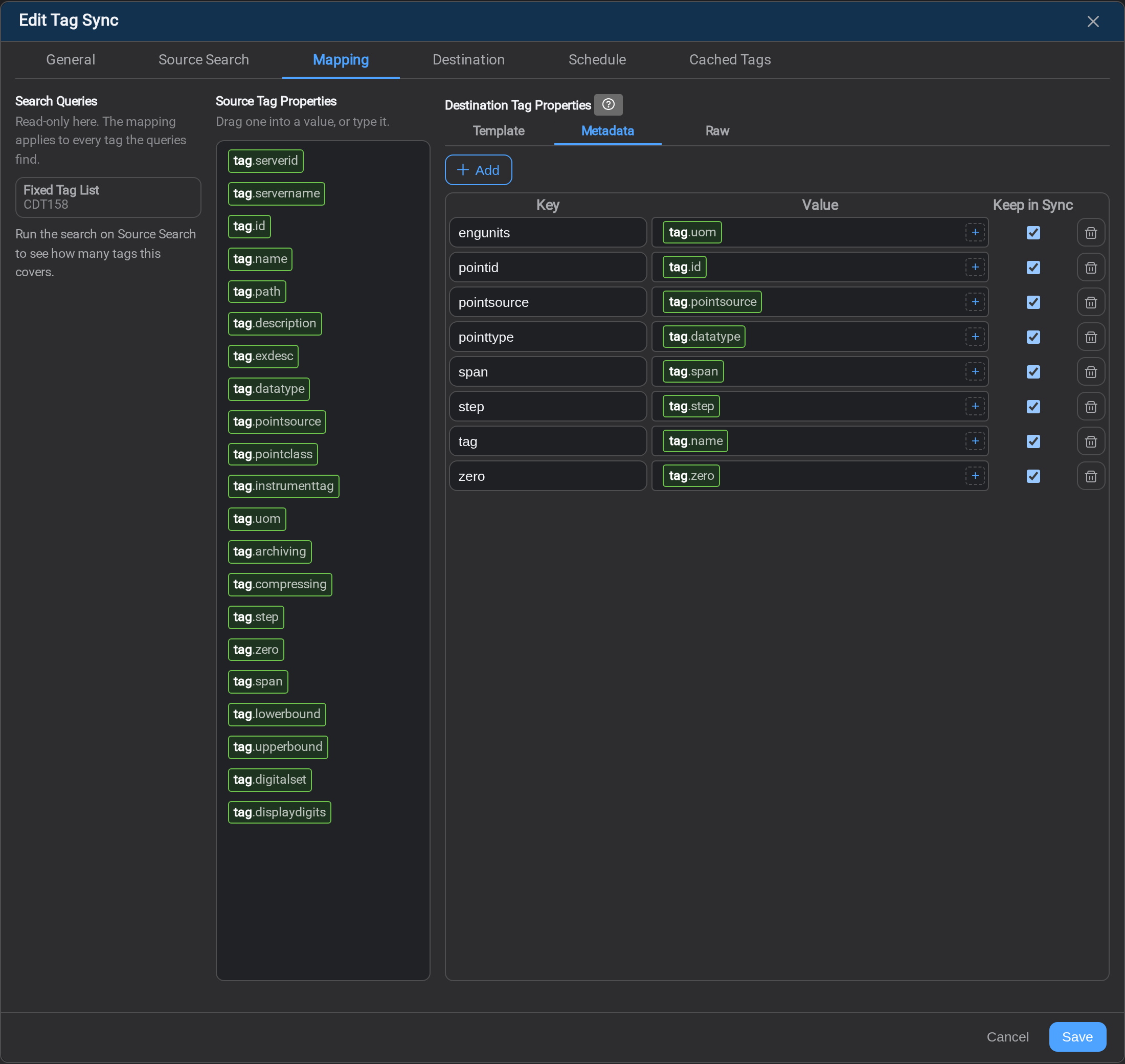
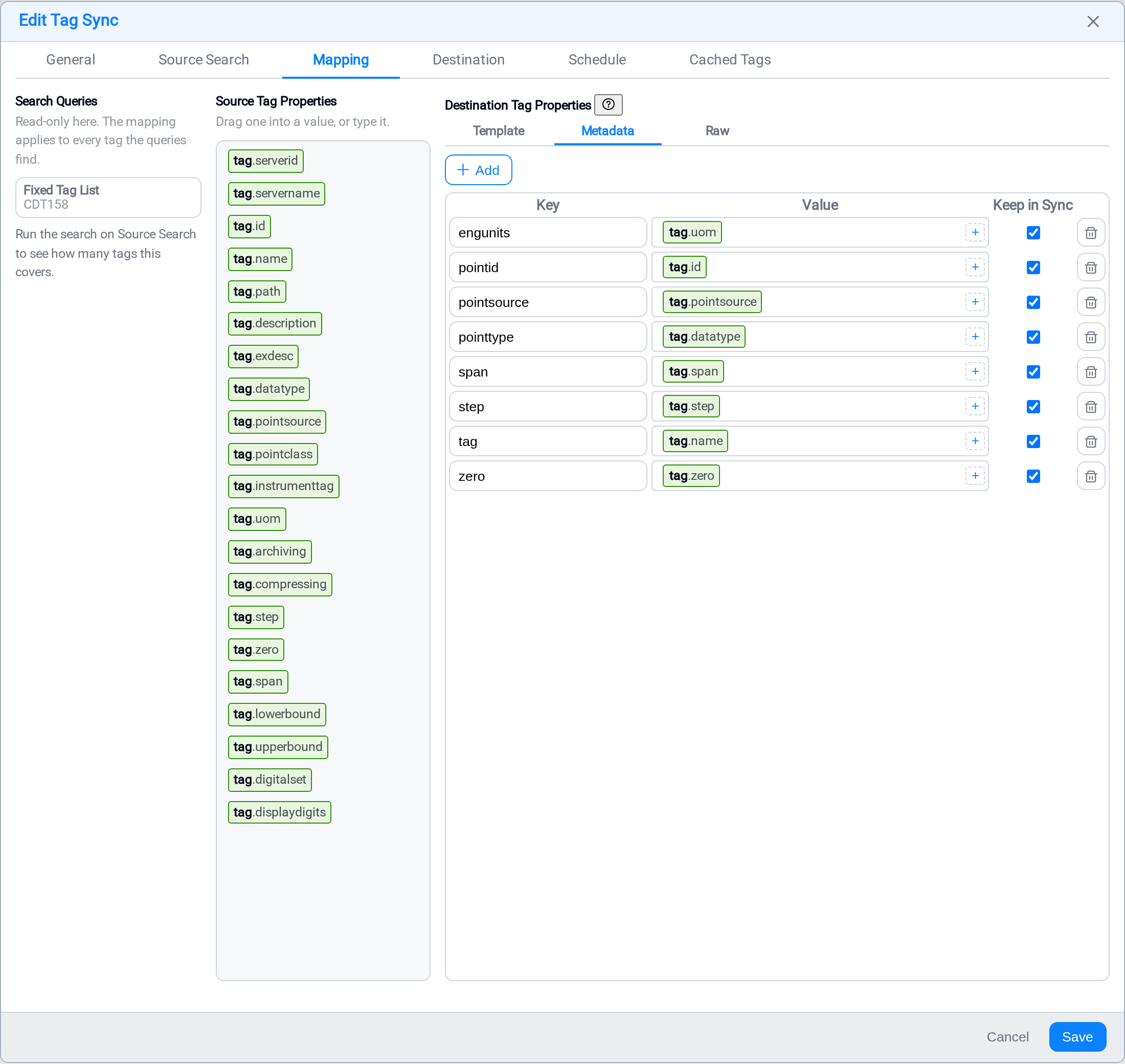
The two cloud destinations carry a bag of key/value pairs beside their fixed
properties, and it is open: any key is legal. The rows a new pattern starts with are
the set that is populated by default, not the set that is allowed.
So this is a table you add to rather than a schema you fill in. Add in the top right
mints a key you rename in place — the same move as adding a query — and the bin on each
row removes one. The Value and Keep in Sync columns mean exactly what they mean
on Template.
Raw
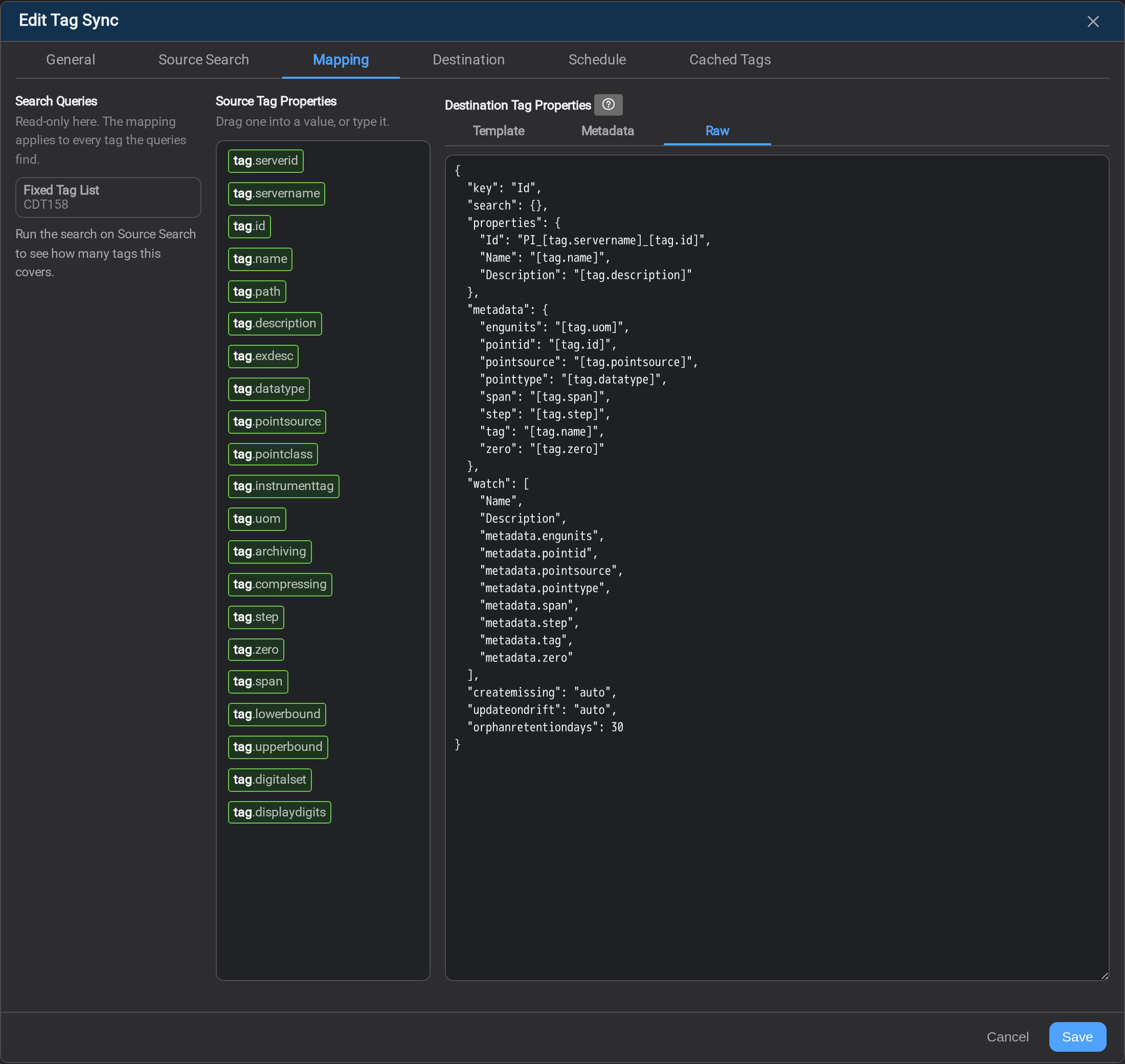
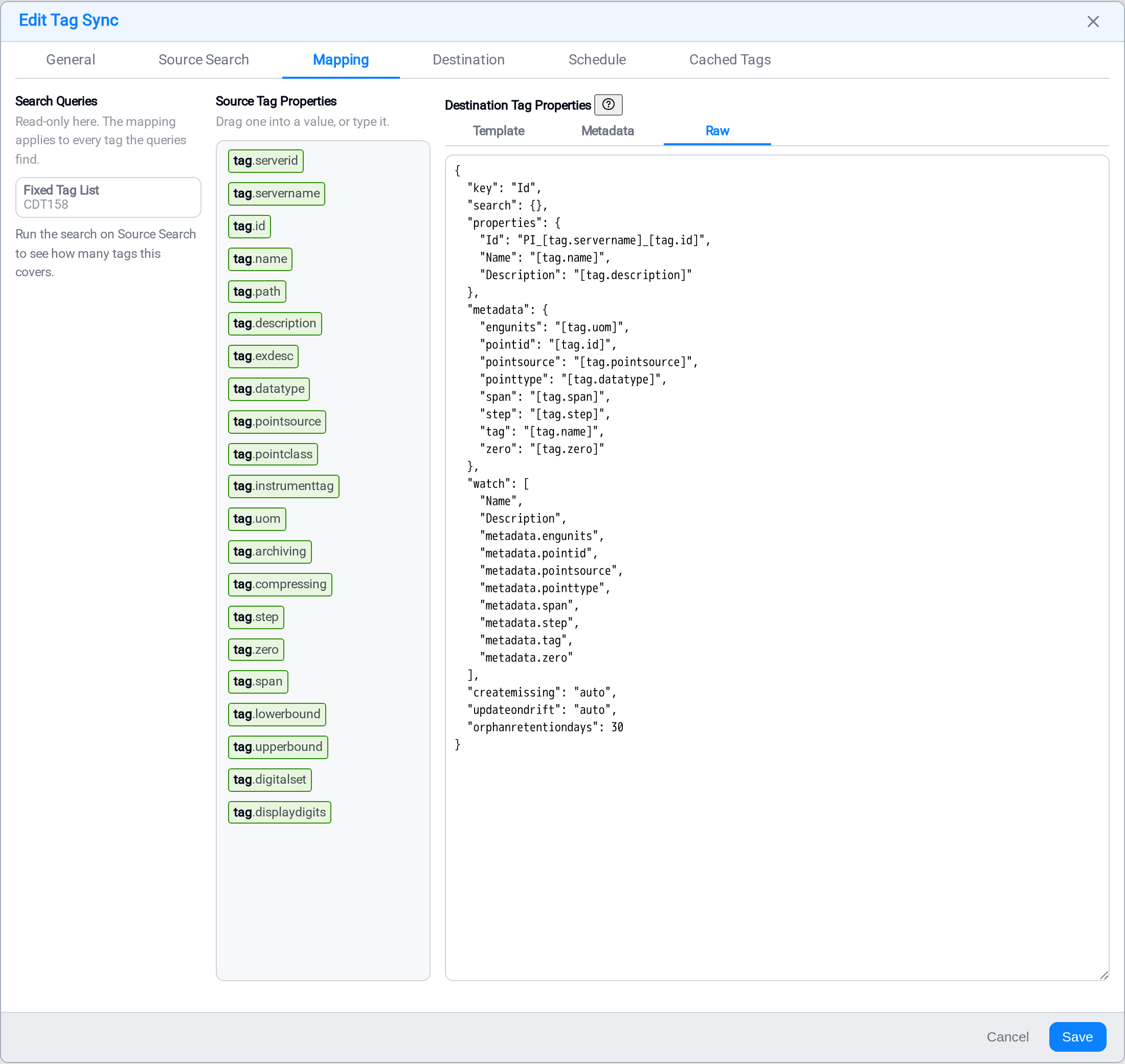
The whole mapping as JSON: the key, the searches, the properties, the metadata, the
watch list and the write policies. Use it for a change the grid makes slowly — pasting a
mapping from another pattern, renaming a dozen properties, reordering wholesale.
It is what gets saved, so it is also the place to read the shape Stream stores:
{
  "key": "Id",
  "properties": { "Id": "PI_[tag.servername]_[tag.id]", "Name": "[tag.name]" },
  "metadata": { "engunits": "[tag.uom]", "pointid": "[tag.id]" },
  "watch": ["Name", "metadata.engunits", "metadata.pointid"],
  "createmissing": "off", "updateondrift": "auto", "orphanretentiondays": 30
}
metadata is its own block beside properties, and its keys are bare — themetadata. prefix is not repeated inside it. watch still names a pairmetadata.<key>, because that is what the rest of the system calls it: drift notes,
the Template grid and every reply from a run.
Invalid JSON is reported and not applied, so a stray comma costs you the character
you mistyped rather than the mapping you were editing.
The key row
The first row is the key, and it does two jobs: it is what an existing destination
tag is found by, and what a new one is named. On a PI destination that is tag;
on CDF it is externalId; on CDS, Id; on Stage, id.
It cannot be left empty, and it is never watched for drift: it is what the tag is
matched by, so it cannot also be the thing that changes.
Search only, and derived
Some rows cannot be written, and the grid says which and why rather than hiding them.
Search only rows (id, path) are assigned by the destination; derived rows
(pointtype, isString, TypeId) are worked out by the service from the source data
type.
Additional Matches
Use this where some of the tags already exist at the destination under a different
spelling, because somebody migrated them with another tool. List the other spellings
and a run writes to the tag they have instead of creating a second one beside it. The
key's own value is tried first, so the list is for the exceptions.
Keep in Sync
A ticked property is compared on every scheduled run and pushed when it differs. An
unticked one is written when the tag is created and then left alone for ever.
Untick the ones your site edits at the destination. A descriptor that an operator
corrected at the far end will be overwritten on the next run if it is still ticked, and
the run will not report that as anything unusual: it is doing what it was asked.
Destination
The Destination tab is where you check what is actually there before anything is
written, and where you decide what the sync is allowed to do.
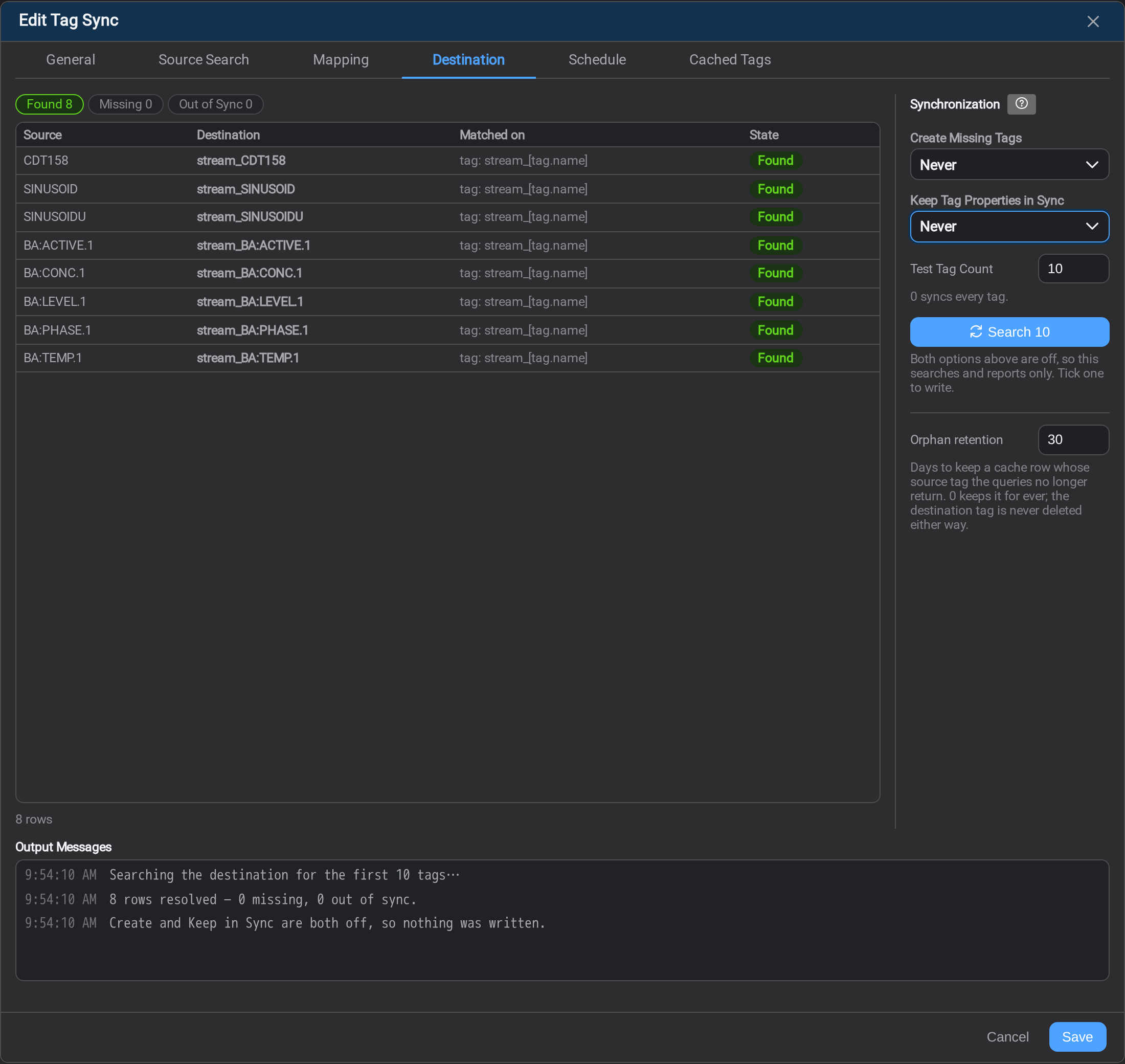
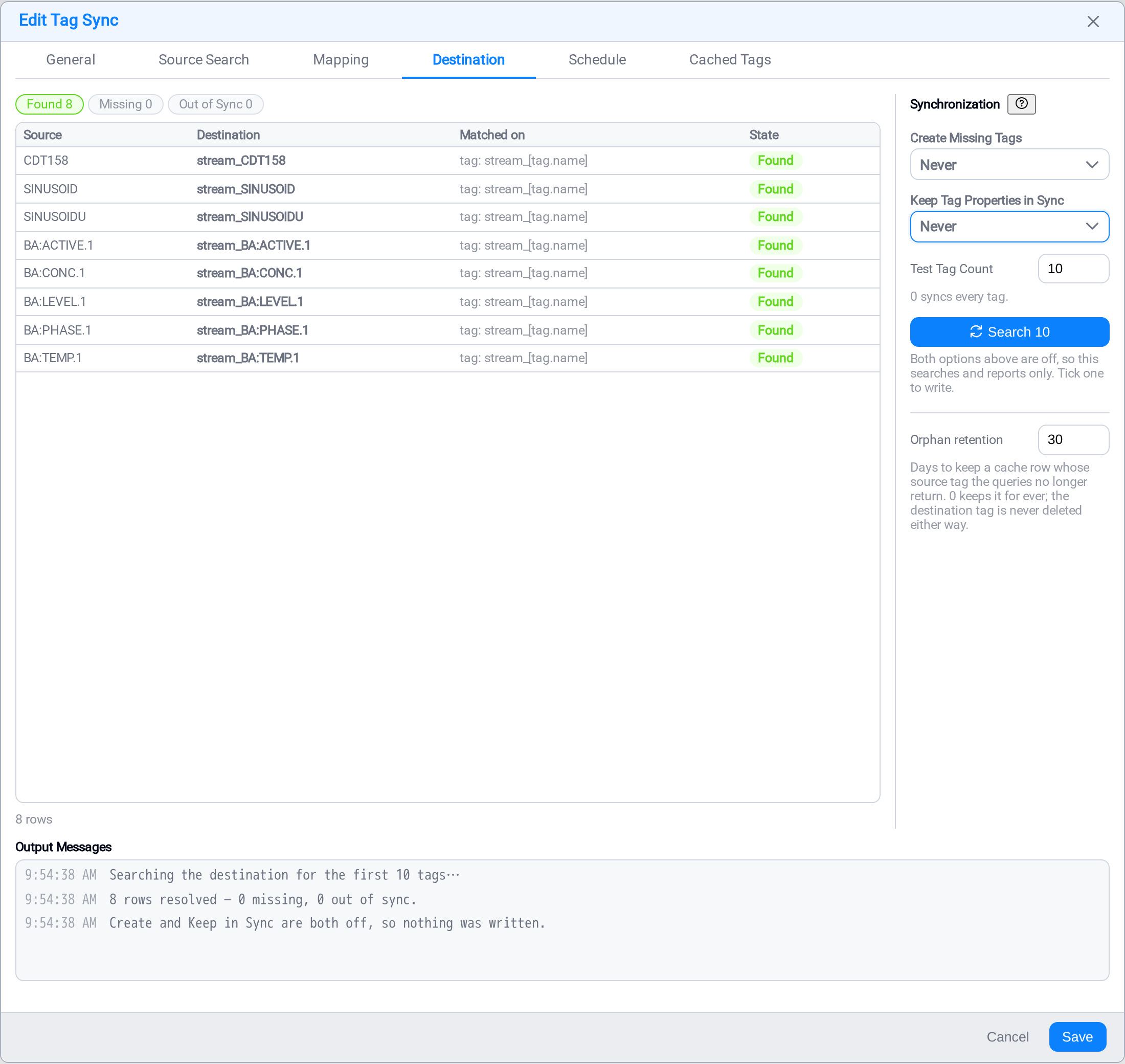
The three counts across the top are the whole answer:
| Count | Means |
|---|---|
| Found | A destination tag exists for this source tag |
| Missing | No destination tag exists yet |
| Out of Sync | One exists, and a property marked Keep in Sync differs from the source |
Found is a success, not a near miss. A sync's job is to resolve each source tag to
a destination tag, and finding one that is already there is the cheapest way to do it —
on a destination that was populated by some earlier means, every row comes back Found and
the sync creates nothing at all. That is a complete, correct run, and the pairs it
stored are exactly what a tag sync task needs. Creating is only
what happens to the remainder.
A tag this sync created is judged like any other from the next run on. It counts
under Found when it is made, and on the following check it is compared against its
source like everything else — so it can turn up as Out of Sync later, which is the
point: a tag the sync created is a tag the sync maintains. A row that stayed "created"
for ever would be one the sync had quietly stopped looking at.
The grid under them names both ends of each pair and what it was matched on, so a
tag found under an alternative spelling is visible as such.
What the sync is allowed to write
Two dropdowns, and between them they decide everything the sync does to a destination.
| Auto | Manual | Never | |
|---|---|---|---|
| Create Missing Tags | The scheduled run creates them, and so does Sync | Only Sync creates them | Nothing creates them; missing tags are reported |
| Keep Tag Properties in Sync | The scheduled run pushes watched properties, and so does Sync | Only Sync pushes them | Nothing is pushed; drift is reported |
A new tag sync opens with Create Missing Tags on Never and Keep Tag Properties
in Sync on Auto, and the two differ deliberately. Creating is the irreversible half:
a wrong mapping makes points on a production historian that nobody asked for, and a
wrong mapping is exactly what a new sync has until somebody has looked at the grid.
Updating only ever touches tags this sync already owns.
With both on Never the button reads Search rather than Sync, and it is a pure
lookup: it resolves every pair, fills the counts, and writes nothing. That is the safe
way to see what a mapping would do.
Test Tag Count limits the run to the first n tags; 0 covers every tag. Leave it
small while you are still checking the mapping.
Orphan retention is how many days a cache row is kept once the queries stop
returning its source tag. 0 keeps it for ever. The destination tag is never
deleted either way — this governs the stored row only.
Schedule
A tag sync runs on its own schedule, and this is where you set it. The cadence is the
rate at which definitions are re-resolved: how often the source search runs again,
what it finds is compared against the destination, and the auto policies act.
Match it to how often your hierarchy actually changes. Nightly is right for most sites.
Hourly is right for one commissioning equipment. The time-series task on top of this
sync runs on a much shorter cadence, and the two are unrelated.
Cached Tags
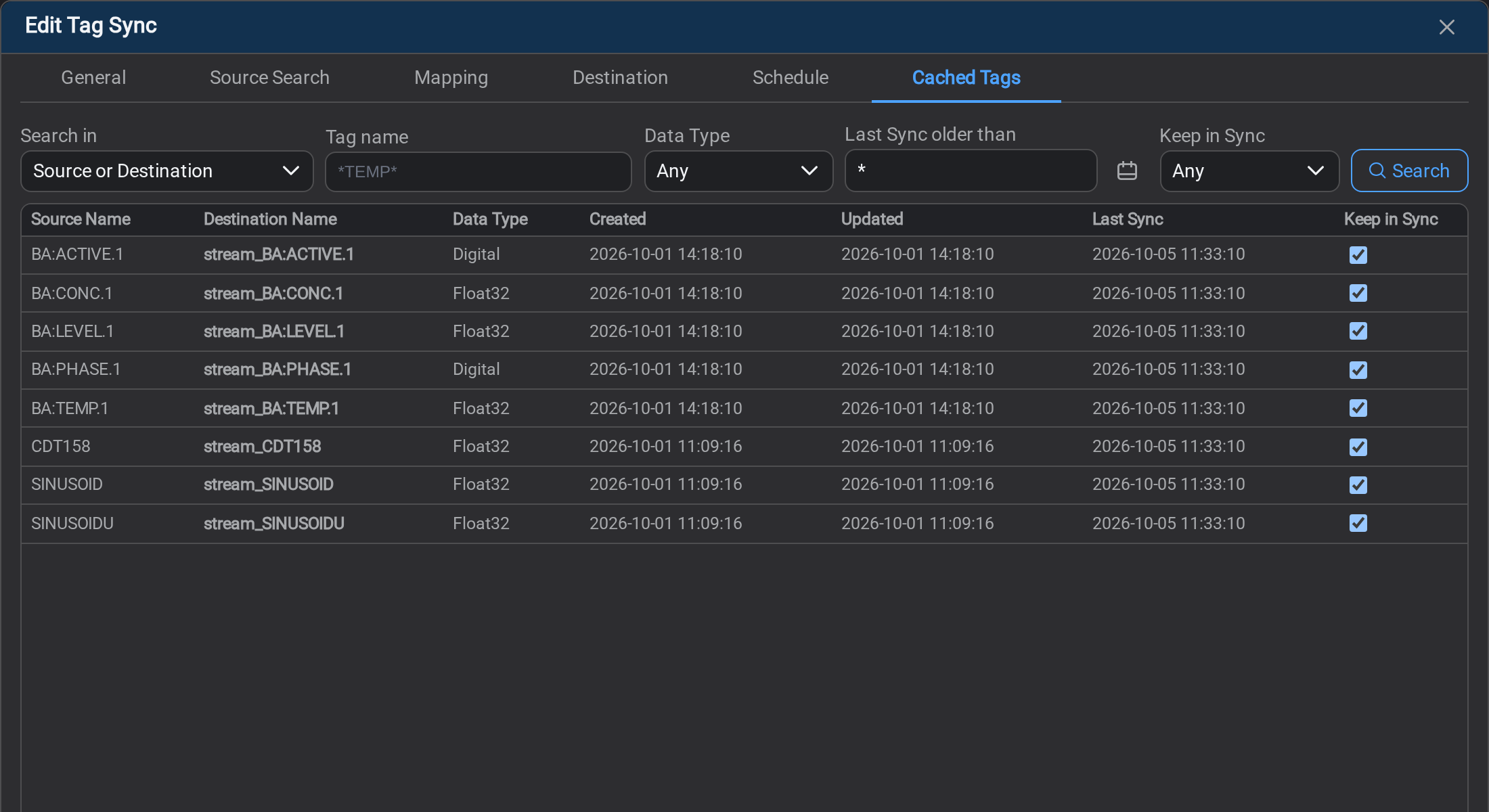
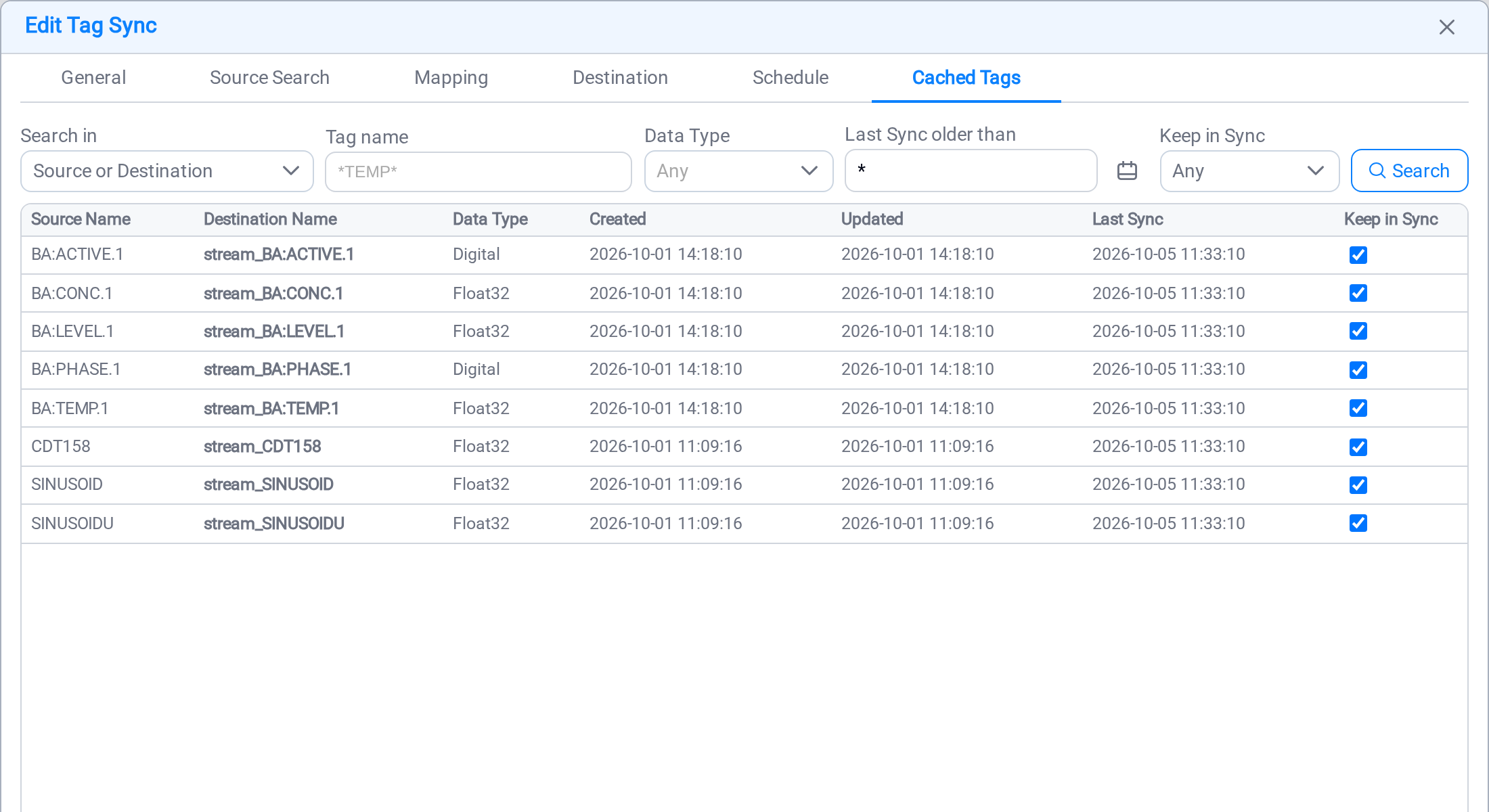
The stored result of the last resolve: one row per tag pair, with both names, the data
type, when the pair was created and last updated, when it was last resolved, and
whether its definition is kept in sync.
| Column | What it tells you |
|---|---|
| Source Name | The PI point the pattern matched |
| Destination Name | The tag it resolved to |
| Data Type | The source point's type |
| Created | When this pair was added to the cache |
| Updated | When the destination tag's definition was last written |
| Last Sync | When this pair was last resolved against the destination |
| Keep in Sync | Whether this pattern maintains this tag |
Read Created and Updated against each other: a row whose Updated is later
than its Created was rewritten after it was cached, which is where a drift correction
shows. Last Sync moves on every row a resolve looks at, whether or not anything
changed.
This list is also what a Tag Sync Task moves the values for. A
tag that is not here has no destination tag, so there is nothing for a task to write
to.
Keep in Sync here is the tag's definition, and it belongs to the pattern. The
task has a tick of its own, named Sync Timeseries, for the tag's values. They
are different switches with different owners, and turning one off does not touch the
other.
Finding one tag among thousands
The search row is the same one the task's
Tag State tab carries, in the same order, because the
two tabs answer the same questions about the same tags from two sides. Every filter
runs on the service and the table pages under it: a tag sync can carry hundreds of
thousands of rows, and nothing here ever loads the whole set.
| Filter | What it narrows |
|---|---|
| Search in | Which property the name is matched against: the source name, the destination name, the destination's own id, or either name at once |
| Tag name | A mask — *TEMP*, BA:* — except when searching on destination id, where the match is exact |
| Data Type | Float32, Digital, String, and so on |
| Last Sync older than | Keeps the rows this pattern has not resolved since the instant you name |
| Keep in Sync | Any, Synced, or Not synced |
Last Sync older than is the definitions-side version of "which tags have stopped":
it finds the rows a resolve is no longer reaching. * means now, and "last resolved
before now" is every row there is, so it reads as no filter at all — which is why
there is no tick beside it to turn it off.
Keep in Sync as a filter answers the question the column cannot: which of these
tags is the pattern not maintaining. The column tells you about one row at a time;
across sixty thousand of them that is not an answer.
If a filter has no effect, the tab says so in a line under the boxes, naming which
one. That means the Stream service this console is talking to is older than the filter:
it accepted the request and did not apply it, so what you are looking at is everything
the other boxes matched. Nothing you typed was wrong, and the line goes away by itself
once the service is restarted onto a build that carries it.
What's Next
Step 2 — now move the time series
The tags exist at the destination and their definitions are being kept in step. They
are still empty. Nothing on this page has copied a reading, and nothing on this page
ever will.
Resolving the tags is half the job. To get the values flowing, build a Tag Sync task
against this pattern: it reads this pattern's cached tags, replicates their history and
then keeps up in near real time, on its own and much faster schedule.
Continue to Tag Sync Task →.
Check the pattern has done its half before you go: on the
Destination tab, Missing should be 0 — every source tag resolved
to a destination tag, whether this sync found it already there or created it. A tag
still counted as missing has no destination tag at all, so the task in step 2 has
nowhere to write its values and will simply skip it.
Related
- Tag Sync Task: step 2 — replicating the time series behind these tags
- Patterns: the four kinds, and what tells them apart
- Endpoints: the connections a sync reads from and writes to
- Audit: which tags this sync created or updated, and when
- Logs: what a resolve actually did