
Tag Sync Task
Tag Sync Task
A Tag Sync pattern matches every source tag to a destination tag —
finding one that is already there, creating it only when it is not — and keeps its
definition in step. It moves no values. This task is the other half: it replicates
the time series behind every tag that pattern keeps in step, from the source PI System
to the destination the pattern resolved them on.
The two are deliberately separate jobs because they run at completely different rates.
Definitions change when somebody commissions equipment — nightly is usually generous.
Values change constantly, and the task that carries them runs every minute or two.
Prerequisite — the Tag Sync pattern must exist first, with its tags synchronized
This task cannot be built without one, and it moves values for nothing else. It has
no tag list of its own: it reads the pattern's
cached tags, and a tag that is not in that cache has no
destination tag, so there is nowhere to put its values.
Before you start here, two things must be true:
- A Tag Sync pattern exists, with its source search, its mapping
and its destination endpoint set. The task binds to it by name and inherits all three. - Its tags are synchronized at the destination. On the pattern's
Destination tab, Missing must be0. Tags still
reported as missing are skipped by this task in silence — the run succeeds and writes
nothing for them.
Synchronized does not mean created. The pattern's job is to resolve each source
tag to a destination tag: on a destination that already holds your tags it finds them
and creates nothing, and most of its rows come back Found rather than Created.
Either way the pair is stored in the cache, and a stored pair is all this task needs.
A sync that created nothing at all can still be a complete, correct one.
If either is not true yet, start at Tag Sync → and come back. It is
a few minutes of work, and every later step on this page depends on it.
You are on step 2 of 2 — this page moves the data
| What it does | Where | |
|---|---|---|
| 1. Tag Sync pattern | Matches every source tag to a destination tag — finding one that is already there, creating it only when it is not — and keeps its definition in step | Tag Sync |
| 2. Tag Sync task | Moves the time-series values into those tags | This page |
Create one
Select Add Task, and tick Tag Sync in the sources row.
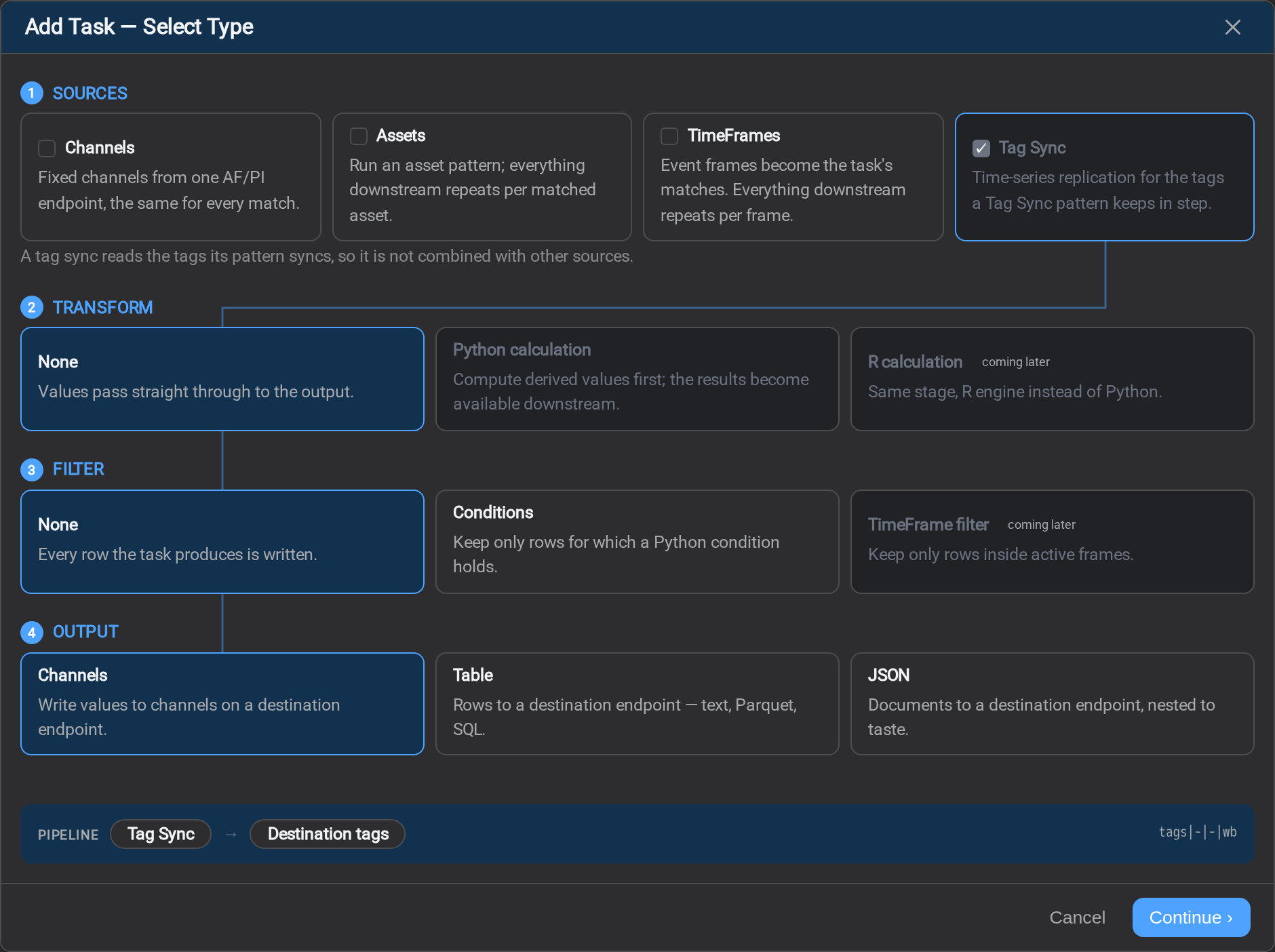
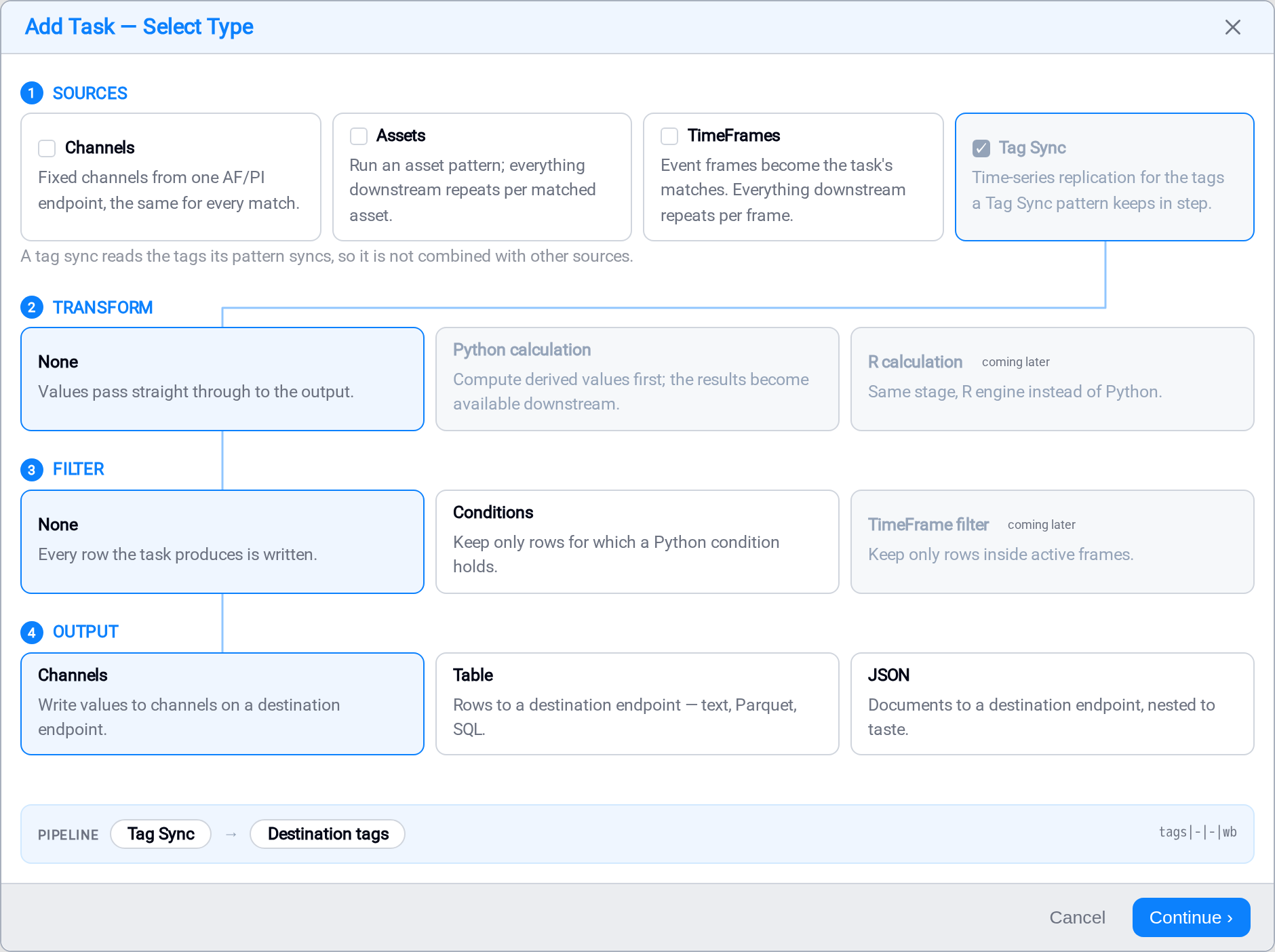
Two things follow from that tick:
- Tag Sync is exclusive. The tags come from the pattern, so there is no match to fan
out over, and combining it with an asset pattern would ask for the cross product of a
tag list and an asset list. Ticking it clears the other sources; ticking one of them
clears it. It is a swap rather than a refusal, so you are never stranded. - Transform must be None. A replication moves values; there is nothing to derive that
the pattern has not already fixed. The calculation cards are greyed out.
Output opens on Channels, which is what a replication is for: the destination
tags already exist and the pattern knows where they are. Table and JSON are allowed as
well — the same tag values written as rows or documents instead — and a Conditions
filter is allowed with any of them. The rest of this page describes the common case.
The pipeline reads tags|-|-|wb, and that is the string that appears in the
Pipeline column of the Tasks list and in every log and audit row afterwards.
General
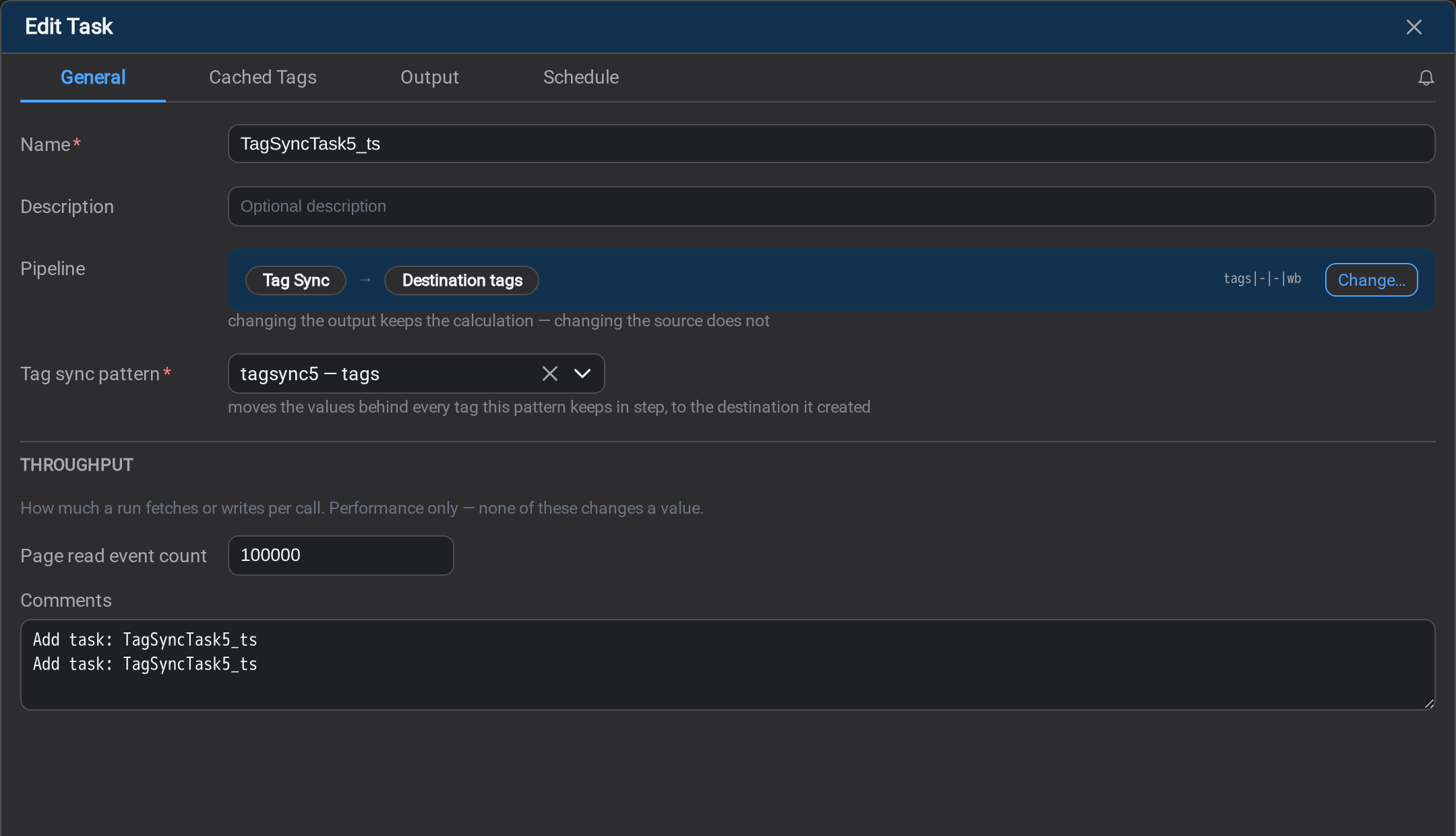
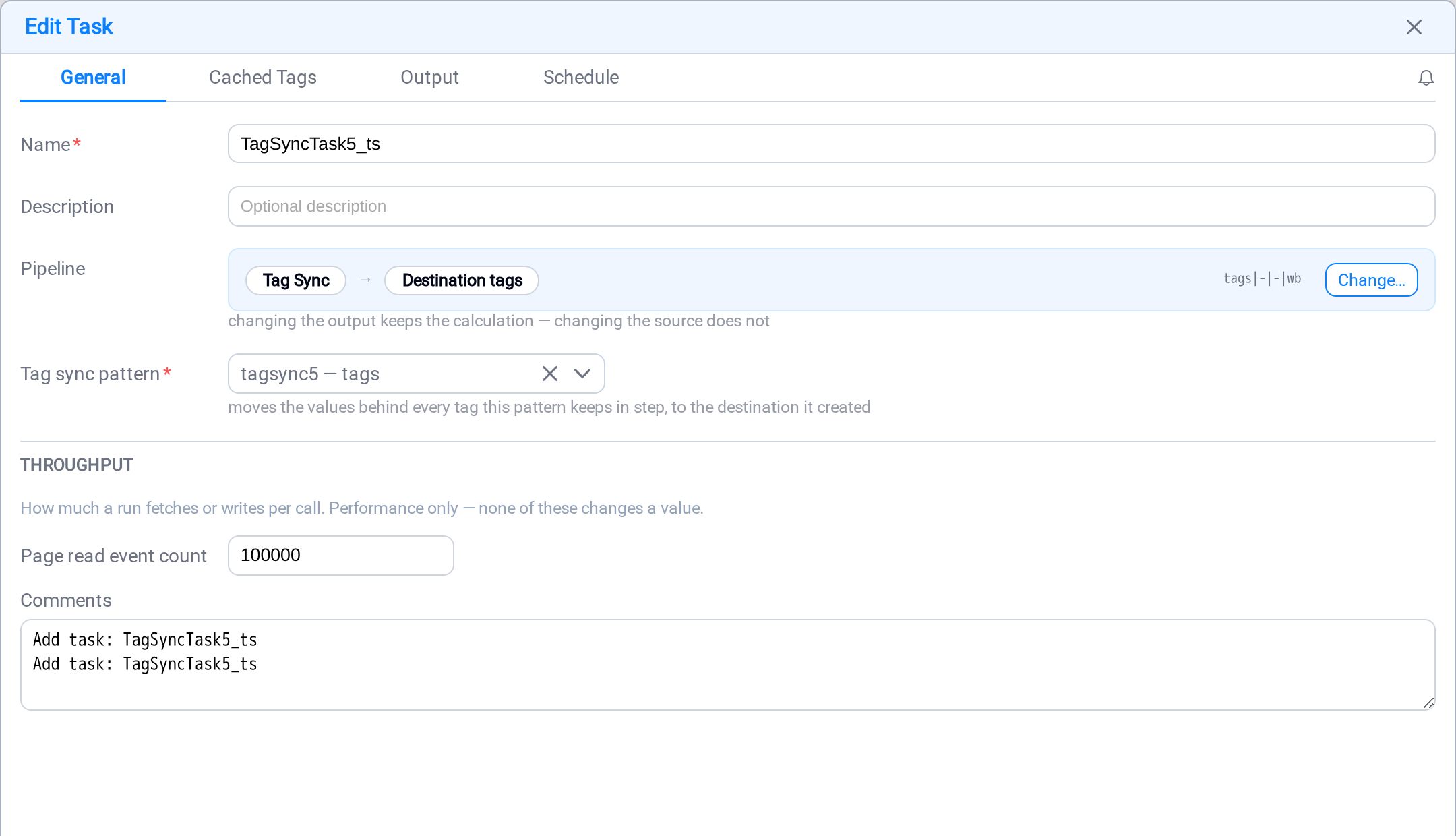
One field matters here beyond the name: Tag sync pattern. That binds the task to the
pattern whose tags it moves, and with it comes the source endpoint, the destination
endpoint, and the list of tag pairs. There is nothing else to point at.
Page read event count under THROUGHPUT is how many events a run fetches per call. It
is a performance setting and changes no value.
The tabs
A tag sync task writing to channels has four tabs, and three of them are short. It has
no Time Alignment tab — there is nothing to align, since each tag's values are copied as
they stand — and no Calculation tab.
| Tab | What you do there |
|---|---|
| General | Name it and bind it to the tag sync pattern |
| Cached Tags | Per-tag state, manual fills, and the trail of what was written |
| Output | How much goes over per write call |
| Schedule | How often it runs, and where the first run starts reading |
Picking a Conditions filter or a Table or JSON output adds the tabs those bring with
them: see Conditions, Mapping and
Output.
Output
Two throughput settings, both about the destination end.
| Setting | What it does |
|---|---|
| Page write event count | Events per write call |
| Bulk write | One call carries every tag in the batch, instead of one call per tag |
Leave Bulk write on. On a fifty-thousand-tag sync it is the difference between one
round trip and fifty thousand. Turn it off only where the AF driver at the far end
predates bulk writes. Cloud destinations ignore it.
There is no write mode to choose. A tag sync into PI always writesinsertnocompression, because the alternatives put a run of values through the
destination's compression and lose some of them. That is not a preference to express, so
the picker is absent rather than offered and then refused.
Cached Tags
This tab is where a tag sync task is actually operated. Three sub-views across the top:
Tag State, Manual Backfill and Audit.
Tag State
One row per tag the pattern gave the task, and how far its time series has got.
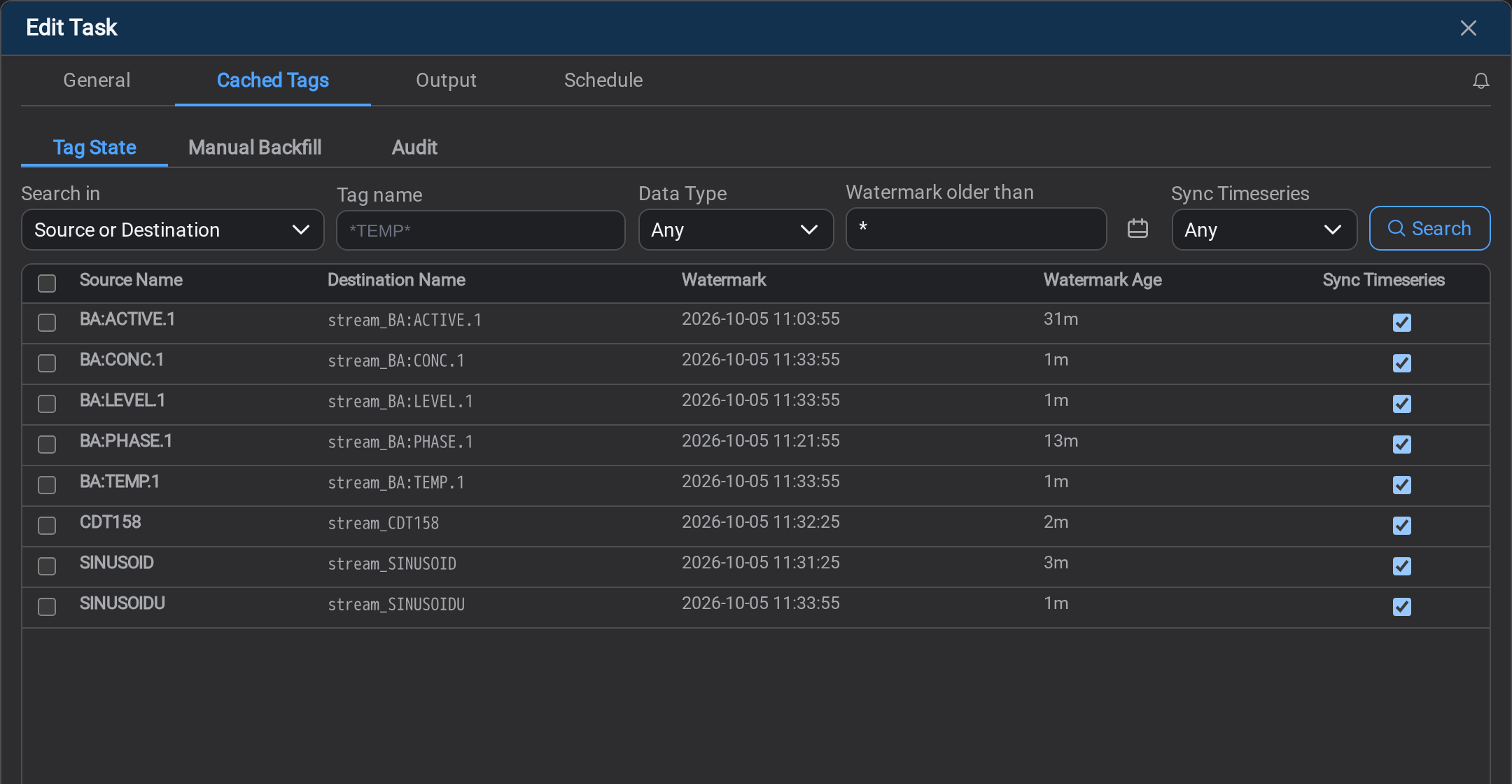
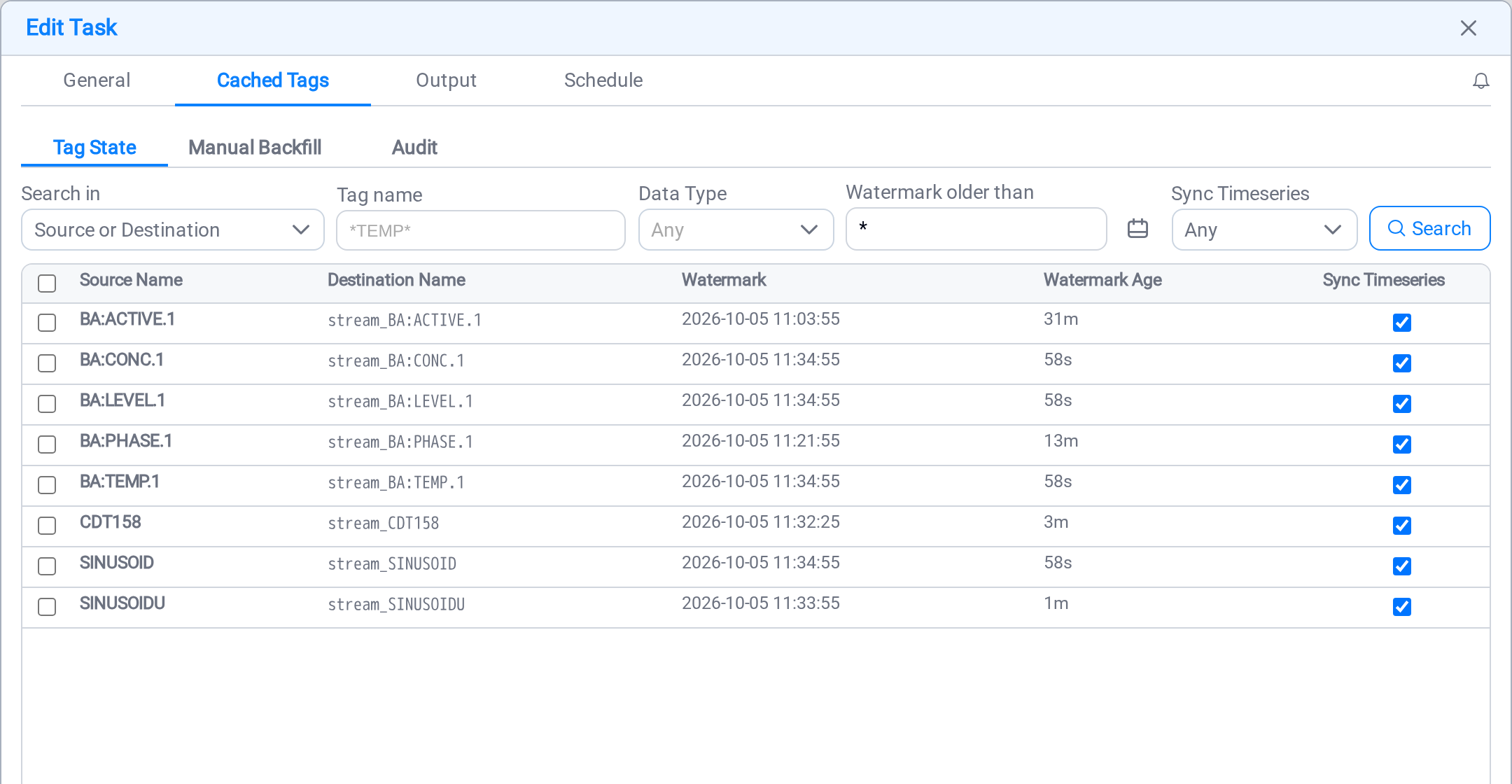
| Column | What it tells you |
|---|---|
| Source Name | The PI point being read |
| Destination Name | The tag being written |
| Watermark | How far this tag's time series has reached |
| Watermark Age | How far behind now that position is |
| Sync Timeseries | Whether this task moves this tag's values at all |
Watermark Age is the column to read. A tag that is keeping up reads in seconds or
minutes; one that has stopped reads in hours or days. The absolute watermark beside it
tells you when it stopped, which is what you need next.
Every filter here runs on the service, because a tag sync can carry hundreds of
thousands of tags and nothing ever loads the whole set:
| Filter | What it narrows |
|---|---|
| Search in | Which property the name is matched against: source name, destination name, destination ID, or either name at once |
| Tag name | A mask (*TEMP*), except when searching on destination ID, where the match is exact |
| Data Type | Float32, Digital, String, and so on |
| Watermark older than | Keeps the tags whose position is at or before the instant you name |
| Sync Timeseries | Any, Synced, or Not synced |
Search in exists because a destination name is often the source name with a prefix,
so one mask finds both rows — and because a CDS destination is
addressed by an id that is not a name at all.
Watermark older than is the question this tab is usually opened to answer: which
tags have stopped. * means now, and "older than now" is every tag there is, so it
reads as no filter at all — which is why there is no tick beside it to turn it off.
Sync Timeseries appears twice on this tab, as a filter and as a column, and they do
different jobs. The column tells you about the row in front of you; the filter answers
"which of these sixty thousand is this task not moving", which no column can.
The same row, with the same five filters, is on the pattern's
Cached Tags tab — reading Last Sync
where this one reads a watermark.
If a filter has no effect, the tab says so in a line under the boxes, naming which
one. That means the Stream service this console is talking to is older than the filter:
it accepted the request and did not apply it, so what you are looking at is everything
the other boxes matched. Nothing you typed was wrong, and the line goes away by itself
once the service is restarted onto a build that carries it.
Unticking Sync Timeseries freezes that tag's position. Ticking it back resumes from
where it stopped and reads the gap, rather than skipping it. This tick is the tag's
values, and it belongs to the task; the tag's definition has a tick of its own,
named Keep in Sync, on the pattern's Cached Tags tab.
The checkbox at the left of each row picks tags for Manual Backfill. The count
appears on that tab's label.
Manual Backfill
Scheduled runs move forward from the watermark. Manual Backfill covers a window you name
— to fill a gap after an outage, or to answer "is the data actually there".
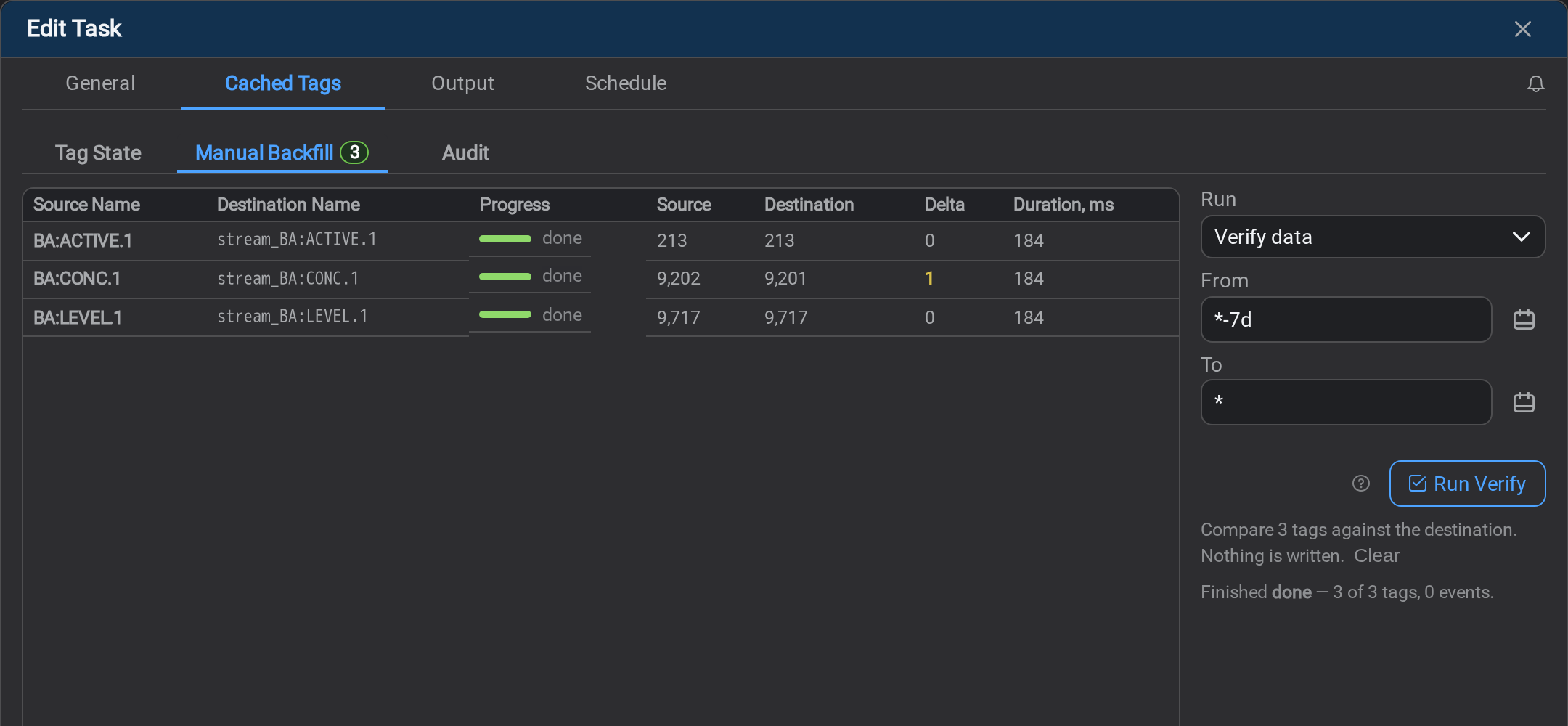
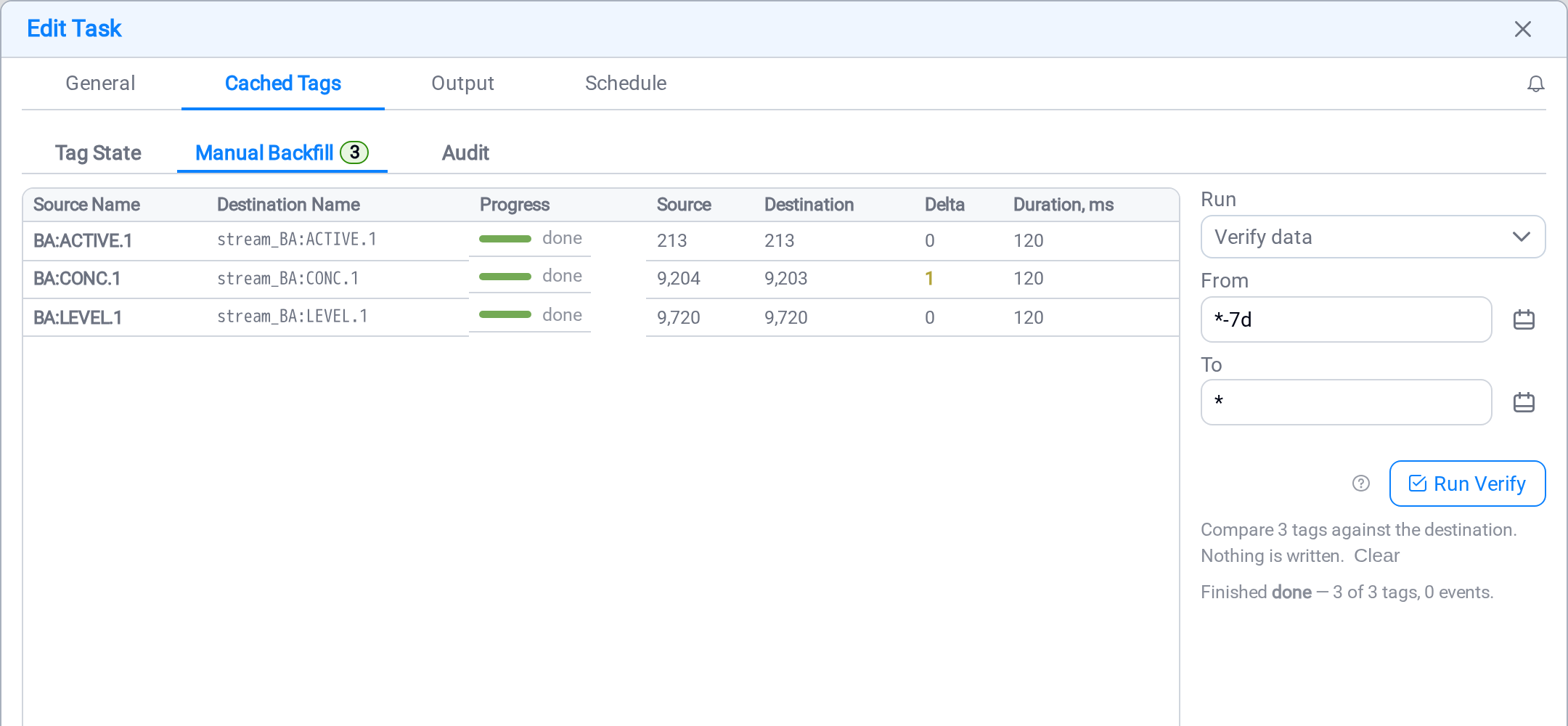
The Run dropdown offers two things, and the difference is the only one that matters
on this tab:
| Run | What it does |
|---|---|
| Verify data | Counts what the source holds and what the destination holds over the window, and compares them. Writes nothing |
| Backfill | Reads the window from the source and writes the missing values to the destination |
It opens on Verify data, and not only because that is the gentler one. It is also
the order of the job: look at what is missing, then fill it. The run that puts values
into a historian is a deliberate second choice rather than what happens because somebody
pressed the obvious button first.
From and To take an absolute time or a relative expression: *-7d reads "seven
days before now", * reads "now", and both are resolved when you press the button, not
when you opened the tab.
Both runs work the same way against PI, AVEVA CDS and
Cognite CDF. A verify reads each of them back and compares, and a
fill writes only the difference — so there is no write mode to pick, and running the same
fill twice is safe because the second run finds nothing to write.
An IOTA Stage destination depends on its mode. A stored
Stage tag holds its own values and behaves like the three above. A reference one
holds none — Stage reads the source itself — so there is nothing to read back and
nothing to fill, and the buttons say so rather than running and failing.
One difference on a stored Stage tag: Stage appends and never overwrites, so a value it
already holds that disagrees with the source is reported under Different and never
sent. A verify there compares value and quality.
The result grid is one row per tag:
| Column | What it tells you |
|---|---|
| Progress | How far this tag has got, and its final state |
| Source | Values the source holds over this window |
| Destination | Values the destination holds over this window, after the run |
| Delta | What is still missing |
| Written | Values this run wrote — a backfill only |
| Duration, ms | How long the service spent on this tag |
A fill covers the tags picked on Tag State, and nothing else. With none picked the
buttons say so rather than quietly running over everything.
A window does not have to lie behind the watermark. A fill covers what you name
regardless of where the position has got to, and a fill that crosses the watermark
carries it to where the fill reached.
A finished run's result stays on screen with a tinted background until you dismiss it,
so a result you looked away from is not mistaken for live progress.
Audit
The durable record of what this task did to tag values — which is a different question
from what the pattern did to their definitions, and a different trail.
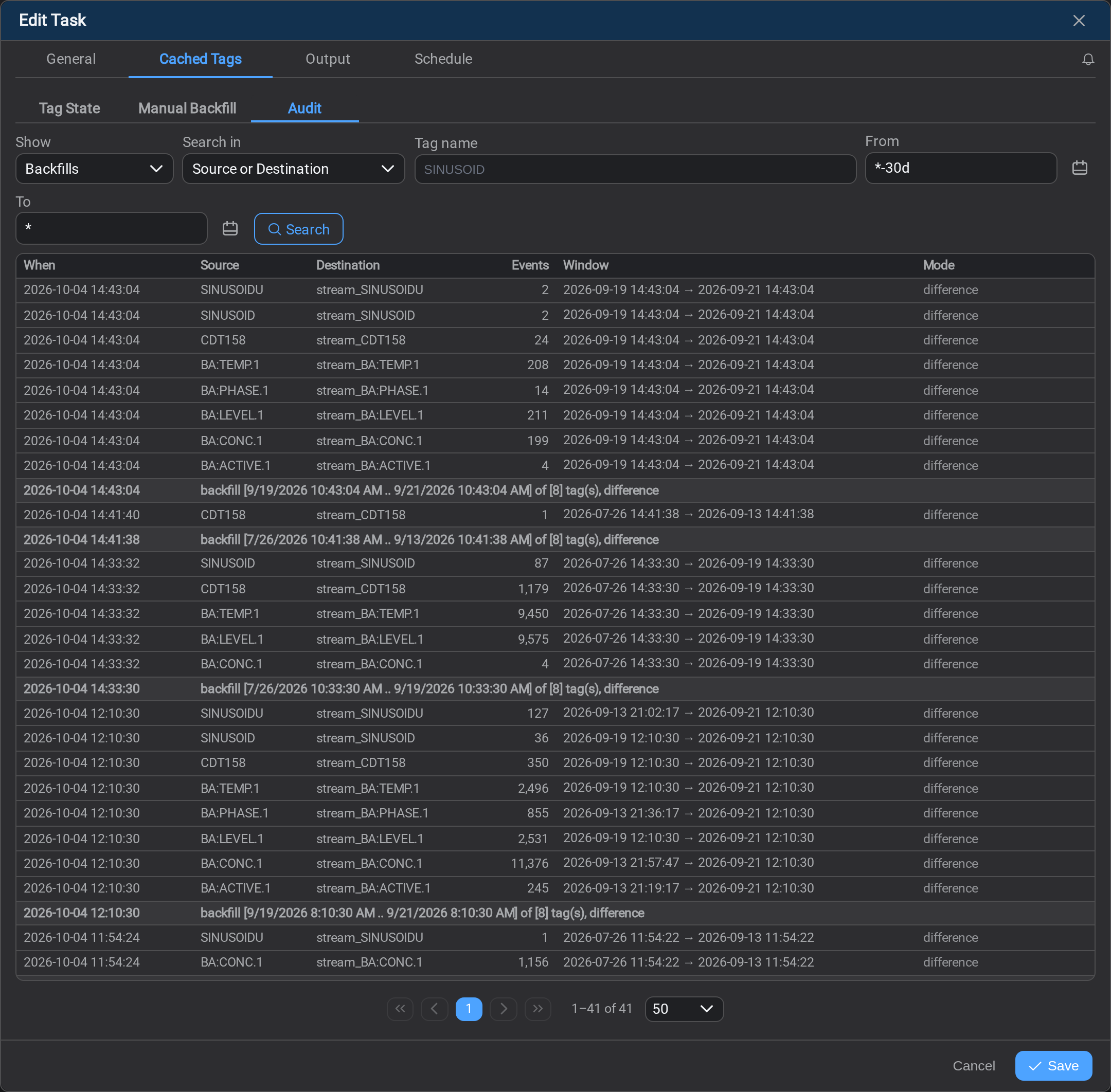
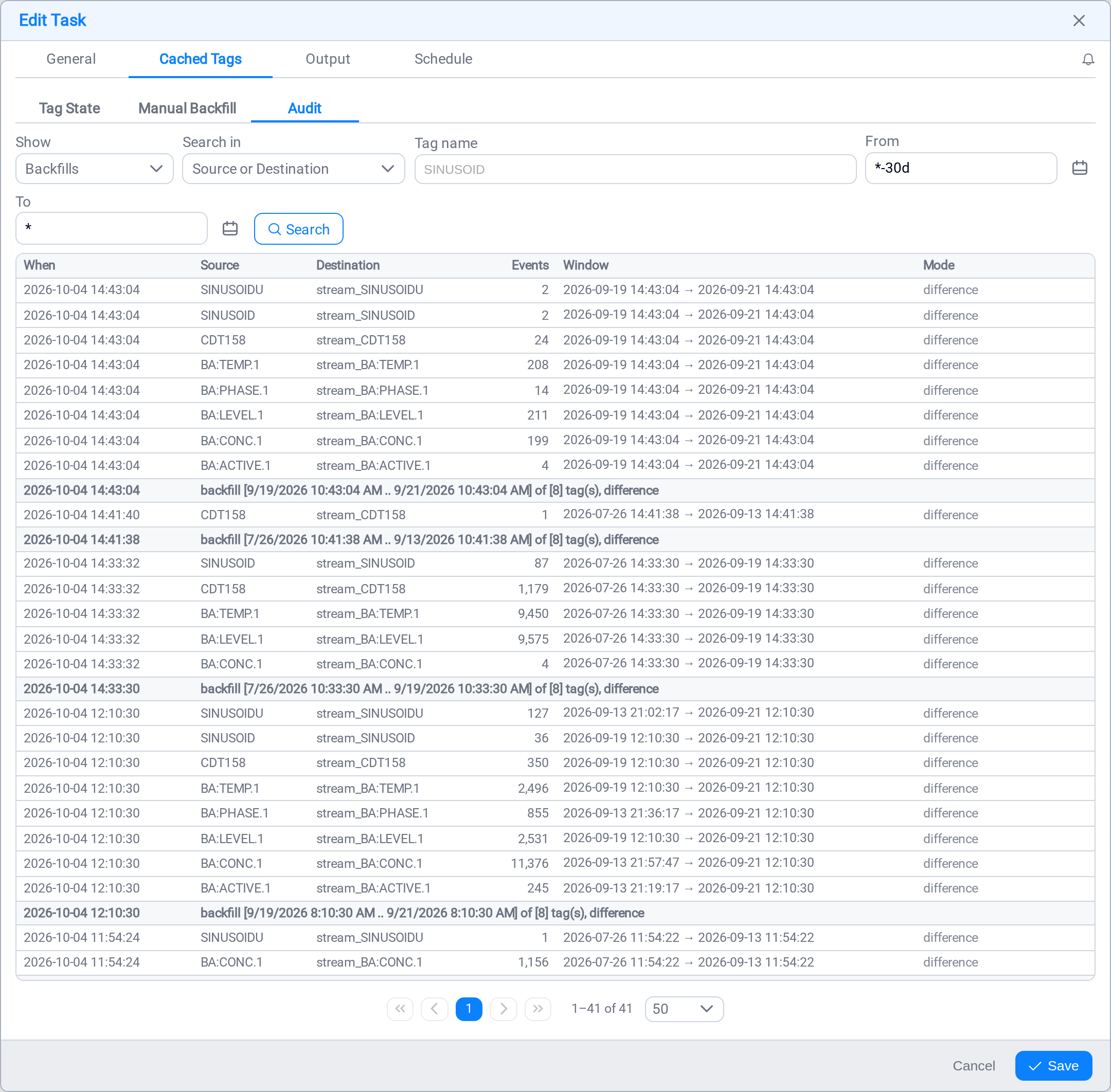
Show picks which of three kinds you are reading:
| Kind | Written when |
|---|---|
| Backfills | A fill wrote to a tag. One row per tag, plus one header row per run |
| Sync started | The task was scheduled or resumed |
| Sync stopped | The task was unscheduled or paused |
A verify leaves nothing here, deliberately: it writes nothing, so it is not a previous
state, and a trail of things that did not happen is worse than no trail.
A backfill writes two shapes under the one action. The bold row is the run: its
window, its mode and how many tags it covered. The plain rows beneath it are what that
run did to each tag, with the events written.
The start and stop rows carry no tag name, because they are written once for the
task however many tags it moves. A name filter is not sent for those kinds rather than
returning nothing and leaving you to work out why.
Search in, Tag name, From and To narrow the trail the same way they do
on Tag State.
Schedule
The task's schedule is an ordinary one — see Schedule and
Task Scheduler — with one thing particular to a tag sync.
A tag sync keeps a position per destination tag, not one for the whole task, and
Data start is where each one begins the first time it is seen. Values the
destination already holds over that window are compared rather than written again, so a
gap below them is filled by the schedule itself rather than needing a manual fill.
Data start is how much history you get, and it is set once
Set it to cover the history you want replicated. Left on the default, every tag starts
at now, and the destination gets nothing older than the moment you scheduled the task.
It is quiet about it. The schedule runs, the watermarks advance, every tag reads as
current, and the only sign that ten years of history were never copied is that nobody
asked the destination for them yet. Recovering it afterwards means a
manual backfill over the window you meant.
What's Next
A scheduled tag sync task is a job to watch rather than configure. Continue to
Logs →.
Values missing for some tags? The answer is on the pattern, not here
This task only ever writes to tags its pattern has already resolved. When a tag's values
never arrive, check the pattern before you check anything on this page:
- The tag is not in the pattern's cached tags — its source
search does not match it. Fix the search, let the pattern run. - The tag is cached but still Missing on the pattern's
Destination tab — no destination tag exists, so this task
skips it. - The tag is there but its Keep in Sync tick is off, so the pattern stopped
maintaining it.
All three are the pattern's half of the job: Tag Sync →.
Related
- Tag Sync: step 1 — the pattern that resolves the tags this task writes to
- Schedule: giving the task its schedule as you create it
- Task Scheduler: the cadence, the states, and changing a schedule
- Tasks: the composer and the tabs as a whole
- Logs: what happened on the last run