
Preview
Preview
The Preview tab runs the task without writing anything and shows the rows or
documents the mapping would produce.
It appears on any task whose output is a Table or JSON document: anything
with a Mapping to preview. A write-back task has none, so it has
no Preview either.
Two previews, two questions
A task that also calculates has a second tab, Calc Preview, earlier in the
strip. They are different tabs:
| Tab | Sits after | Answers |
|---|---|---|
| Calc Preview | Calculation | Are the computed values right? |
| Preview | Mapping | Do those values land in the shape I meant? |
See Calculation Preview for the first one.
What a preview run is
It runs the configuration in front of you, not the saved one. Change a column,
re-run, look again: nothing has to be saved first, and nothing is written to the
destination either way.
Set the window with Start date and End date. Relative times are supported:* is now, *-2h is two hours back.
Use it before every save. A mapping that writes nothing and a mapping that
writes the wrong thing both look identical from the Tasks list: successful.
A table mapping
A table mapping previews as the grid it is: the columns you declared, in the order
you declared them, with the rows the window produced.
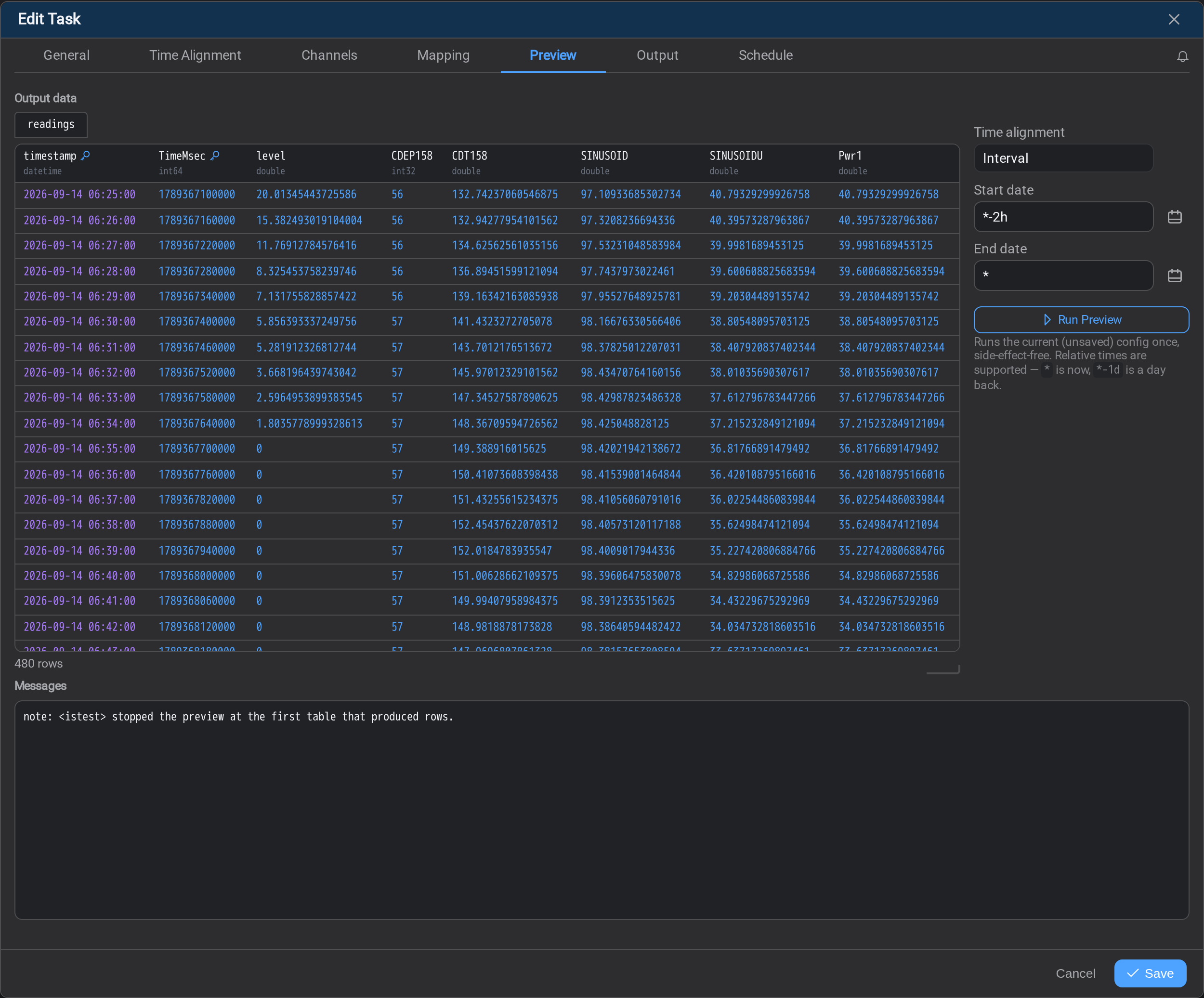
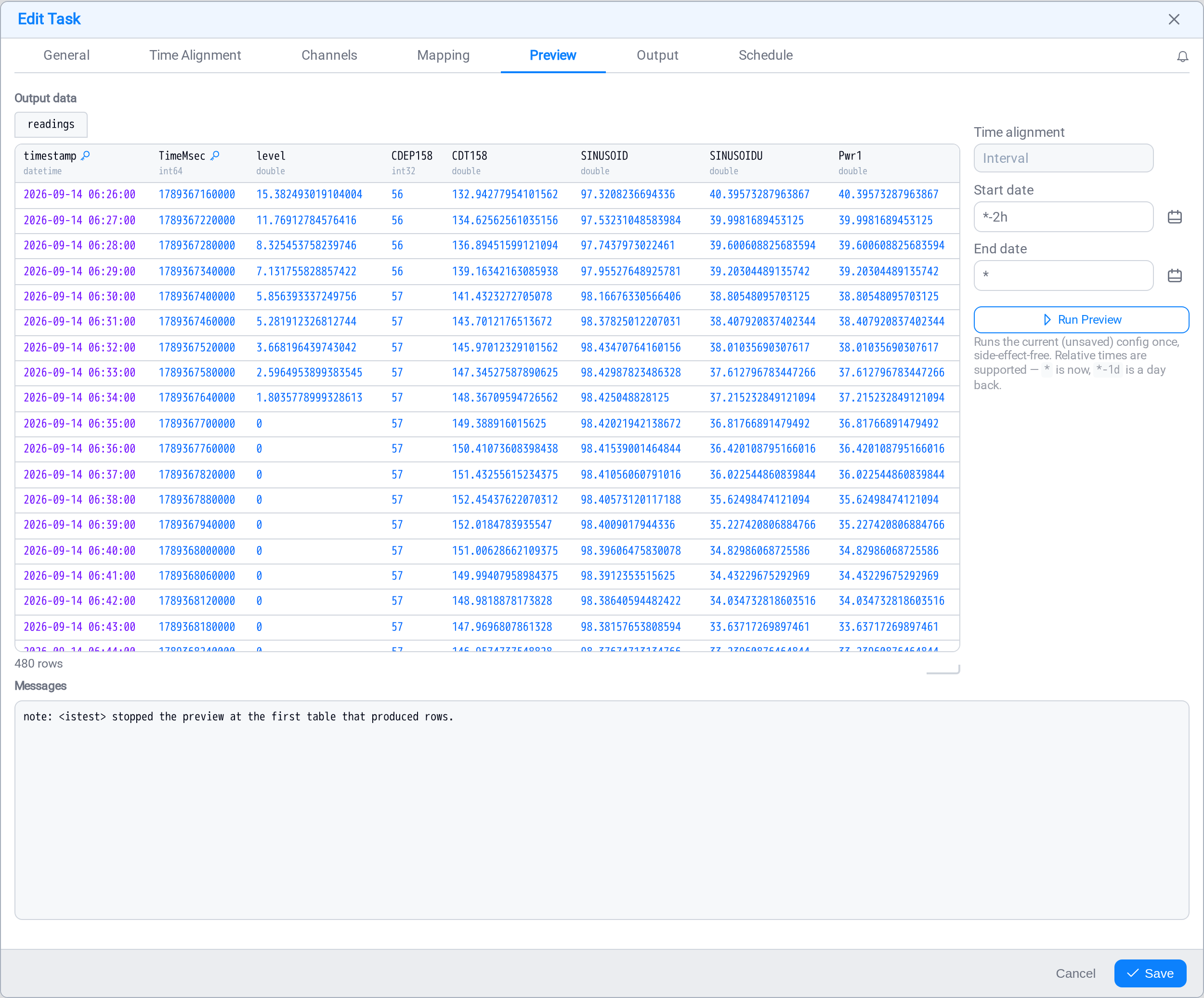
Four things to check here.
The tab above the grid is the resolved target: the name the rows would be
written under. A name expression that resolves per match gives you one tab per
target, which is the fastest way to catch a name that was meant to vary and does
not, or one that varies when it should not.
The header carries each column's type, because the type is what the destination
gets. A number arriving as a string is a schema problem at the far end, and it is
visible here before anything is written.
The row count is under the grid. Compare it with what the window should have
produced: a count that is a multiple of what you expected usually means the mapping
is repeating per match when you meant it to collapse.
An absent value renders as — rather than as a blank, wherever one occurs. A
missing value and an empty string are different problems, and the grid refuses to
make them look alike.
A JSON mapping
The same run, mapped to documents instead, previews as the documents themselves.
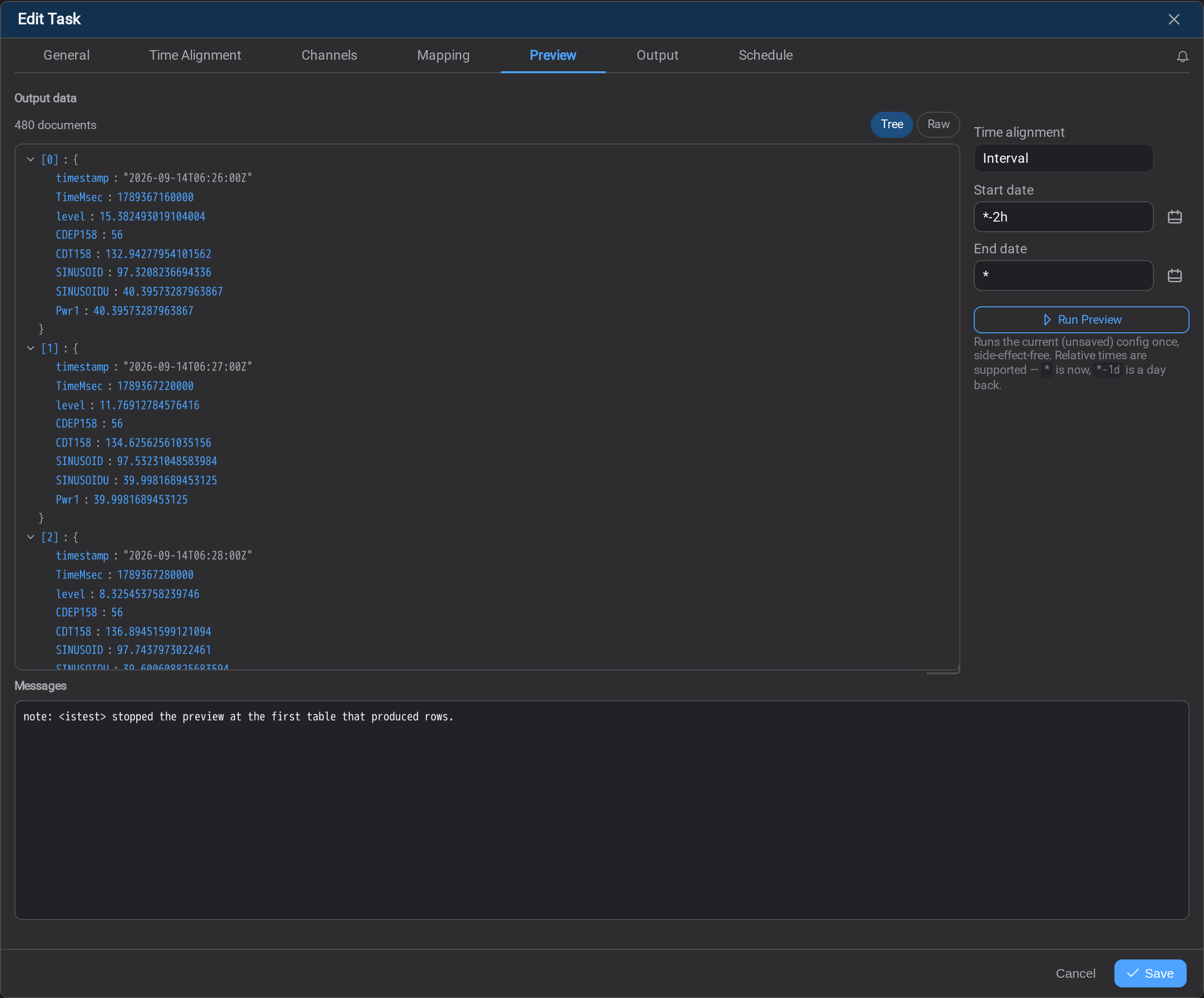
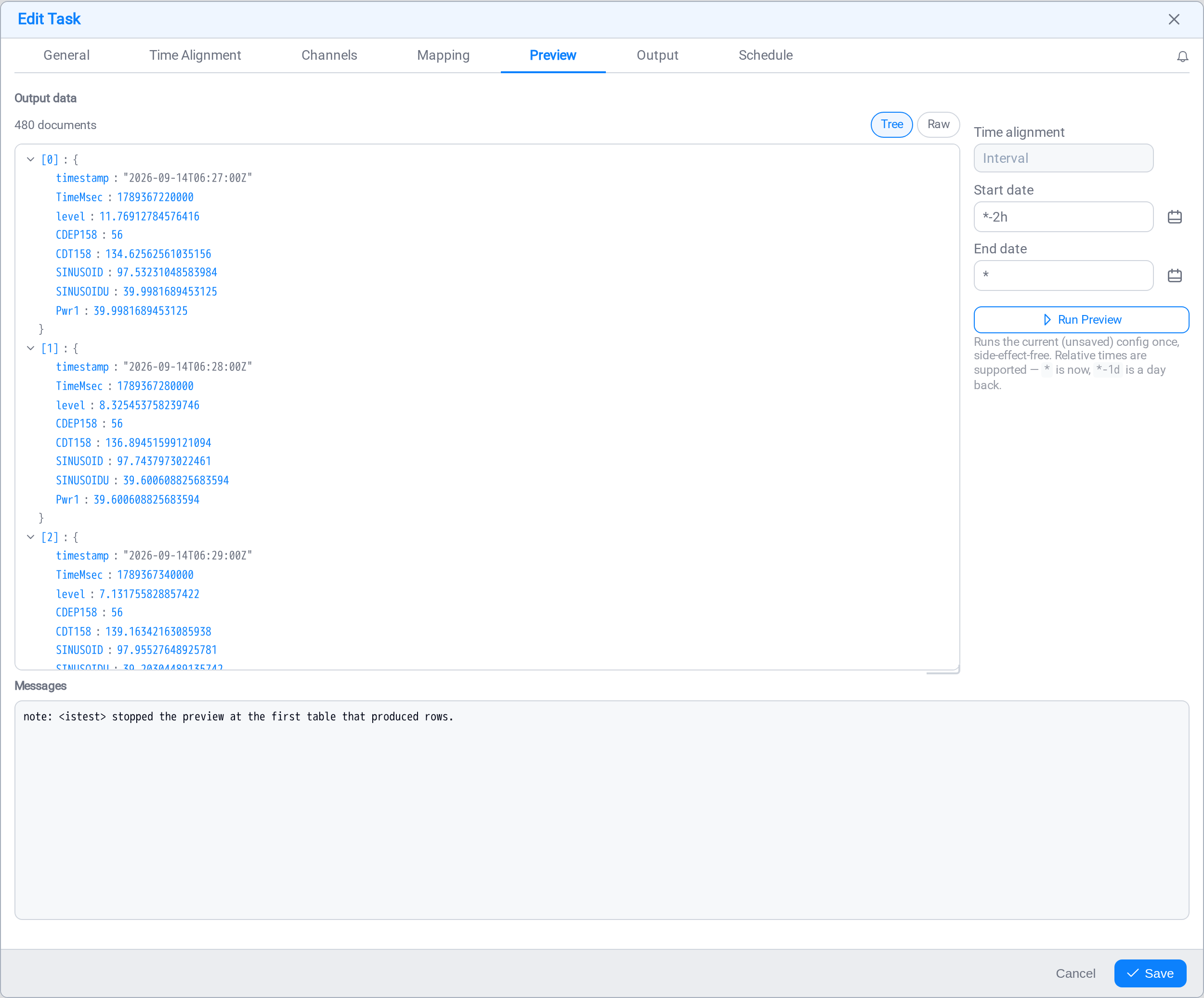
Tree explores the shape; Raw gives you the array to copy into whatever
consumes it. The count above them says how many documents the window produced:
the same 480 the grid held, because it is the same run.
The documents come back from the service already built, by the same code as the
file writer, so what you are reading is what a scheduled run would write, rather
than this page's idea of what it would write. Two things follow from that:
Nesting shows up here and nowhere else. The mapping above is flat, so each
document is one object of named fields. A mapping that nests: an object per asset,
an array of readings inside it: looks the same in the column grid and completely
different here. This is the only place the shape is visible before a file exists.
Types are the writer's, not the grid's. Compare timestamp in the two figures:
the grid renders it as a local datetime, the document carries the ISO string2026-09-14T06:26:00Z the serializer produces. The document is the file's shape,
so the preview does not normalise it into the grid's spelling: which matters when
that field is a document key.
What the filter kept
A task with a conditions filter writes only the rows the
condition let through, and this tab is where that is visible, because these are the
rows a destination actually receives.
The grid gains a keep column, and the footer counts what was refused:
12 rows · 3 rows dropped by the filter — tick Show filtered to see whereShow filtered (beside Show primed samples, above the grid) draws the refused rows
among the kept ones, at their own timestamps, on a light red ground and marked
dropped:
| timestamp | TimeMsec | BA:CONC.1 | keep |
|---|---|---|---|
| 2026-09-15 12:03:47 | 1789473827000 | 43.804 | kept |
| 2026-09-15 12:04:17 | 1789473857000 | 44.768 | dropped |
| 2026-09-15 12:04:47 | 1789473887000 | 44.140 | dropped |
It is off by default: the plain reading of this tab is what the destination gets.
A refused row is a whole row
The service resolves every cell (statics, formats, casts), and then the filter
refuses it, so a dropped row reads exactly like a written one. Nothing about it is
missing except the write.
On a JSON mapping the refused rows appear beneath the documents, as flat objects
keyed by column. They are flat on purpose: a document is built only for a row that
would have been written, so a refused row never became one.
A window in which the filter refuses everything is the case to watch for. The
table still arrives (0 rows, with every refused row behind the checkbox), rather
than reading as "no data in this window", which is a different problem with a
different fix.
When it produces nothing
A preview that returns no rows says so above the grid rather than leaving you with
an empty table and no explanation. The note names what was missing: a channel with
no data in the window, a pattern that matched nothing.
On a task with a conditions filter, check the footer before you go looking for missing
data: rows that were produced and then refused are counted there, and a run that
produced fifteen rows and kept none is a condition to fix, not a window to widen.
Per-cell problems are reported here too. A column that could not be resolved is
named once, with the reason, rather than silently writing the column type's
default: which is how a broken column comes to look like a grid full of plausible
zeros.
What's Next
Once the shape is right, choose where it goes. Continue to
Task Output →.
Related
Conditions: the filter whose verdicts this tab reports
Task Mapping: declaring the columns or the document shape
Calculation Preview: checking the values before the shape
Task Output: the destination and its format
Time Alignment: which rows exist to be mapped
Logs: what happened on a real run