
General
General
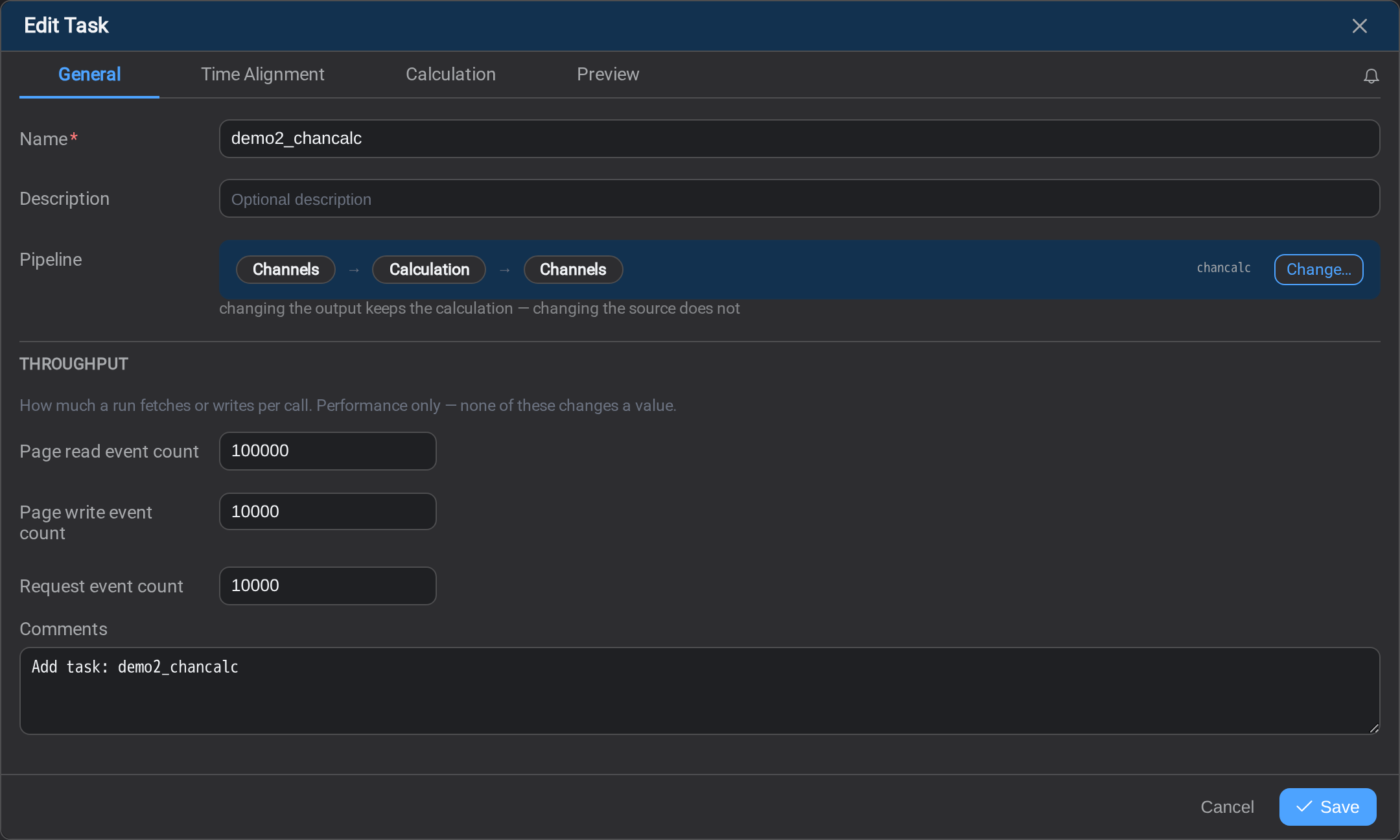
The General tab names the task and binds it to what it reads. It is the first tab on
every task, whatever the task does.
Name
The name is how the task appears in the Tasks list, in
Logs, in the Audit trail, and in every message about a run that
went wrong. It is the only part of a task most people will ever see.
Give it a name that says what the job is, not what it is built from:Exchanger efficiency to SQL will mean something to a colleague in a year;patcalcds3 will not.
A name must be unique. If it is not, the save is refused and the dialog returns to
this tab with the field marked, rather than closing as though it had worked.
What the task reads
The rest of the tab binds the sources ticked in the composer. Sources is a
multiple choice, so a task can carry more than one of these at once:
| Source ticked | What you bind here |
|---|---|
| Assets | The asset pattern whose matches the task repeats over |
| TimeFrames | The TimeFrame pattern whose event frames become the matches |
| Channels | The endpoint the named tags or attributes are read through |
A task with Assets and Channels ticked binds both: the pattern it fans out
over, and the endpoint its fixed channels come from.
Changing a binding changes what every other tab means: the keys a
calculation can wire to, and the tokens a
mapping can reference, all follow from what is chosen here. Change
it early, or expect to revisit the tabs that depend on it.
Throughput
Throughput sits at the bottom of the tab: how many events a run fetches or writes
per call.
This is performance only. None of it changes a value: the same task produces the
same numbers whatever these are set to; they decide how the work is broken into calls,
not what the work is. Most tasks never need them touched.
Reach for them when a run is slow against a remote endpoint, or when a source refuses
a request for being too large. How a run is paged explains what each
one controls and which way to move it.
What's Next
With the task named and bound, decide which moment in time each value is read at.
Continue to Time Alignment →.
Related
- Tasks: the tabs as a whole, and what decides which of them appear
- How a run is paged: what the throughput settings actually control
- Asset Patterns: the pattern an asset-sourced task binds to
- TimeFrame Patterns: the event frames a TimeFrame task repeats over
- Endpoints: the connection a channel task reads through
- Calculation Preview: checking the numbers before you save