
File System Endpoint
File System
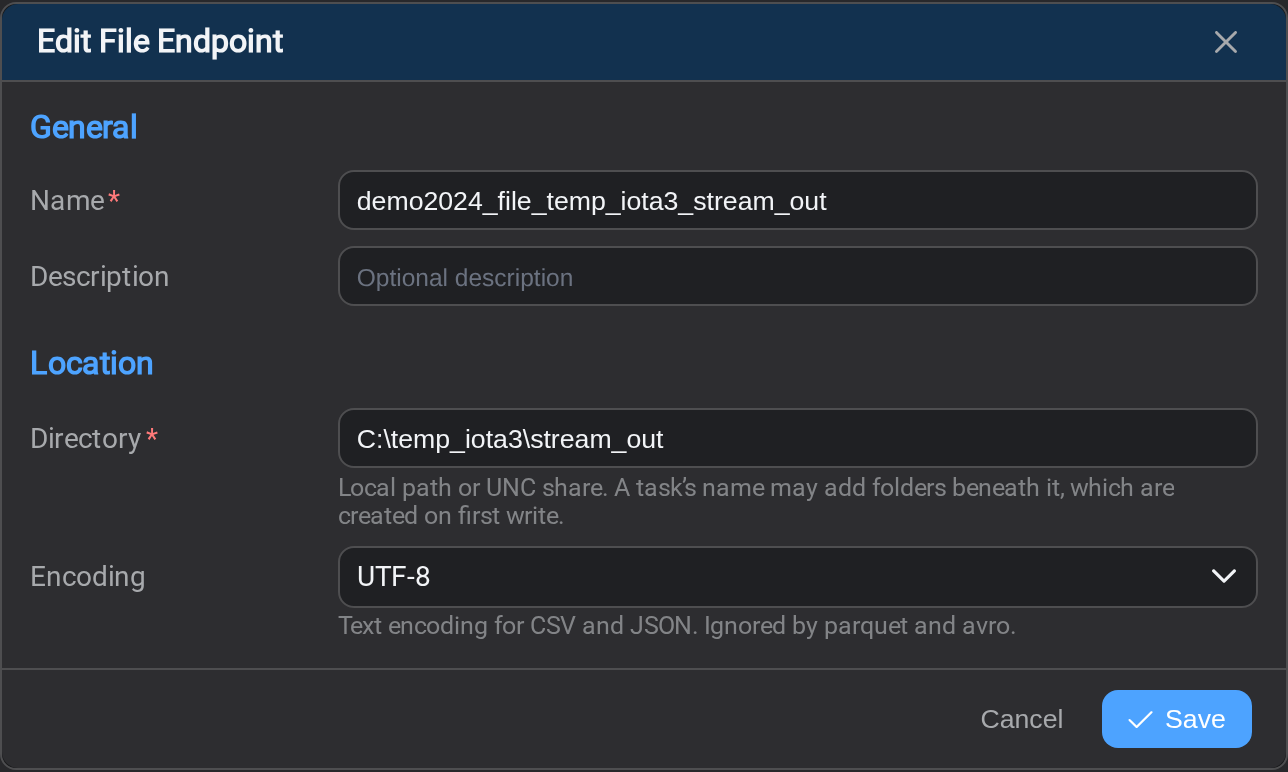
A folder, local or on a share. The simplest destination there is: two fields, and
nothing else to decide here.
Directory
A local path or a UNC share. A task's name can add folders beneath it, and those
are created the first time the task writes.
The Stream service needs permission to CREATE here
Stream writes as the Windows account StreamSvc: the Windows service that runs
Stream's jobs: is running under, not as
you. That account needs rights to create files and sub-folders in this path:
not merely to write to files that already exist.
Two reasons this bites:
- A task's name expression creates sub-folders on the first write. Read and write
on the folder is not enough; without Create folders / append data the first
partitioned run fails where an unpartitioned one would have worked. - On a UNC share the account needs the permission twice over, on the share
and on the underlying NTFS folder. The more restrictive of the two wins, and a
share granting only Read is the usual cause of a path that looks correct and
still fails.
Check which account the service runs as in Services, under Log On As. If
it is LocalSystem it reaches a UNC path as the machine account
(DOMAIN\MACHINE$), not as an administrator: grant that account access, or run
the service as a domain account instead.
A permission problem surfaces as a write failure in Logs, which reads
like a task problem and is not one.
Encoding
Applies to CSV and JSON and is ignored by Parquet and Avro. UTF-8 is the right
default; change it only if a downstream system requires otherwise.
Unicode is not a synonym for UTF-8
Unicode (UTF-16) in this list means UTF-16, which is a different encoding and
produces files most tools will not read as expected. Pick it only if you mean it.
Why there is nothing about format here
This endpoint used to carry delimiters and a file format, and no longer does.
Where a task writes is the endpoint's business; how it formats what it writes
is the task's.
The practical effect: two tasks can write to the same folder in different formats
without needing two endpoints. Set format, delimiters and the header row on the
task's Output tab instead.
Related
- Endpoints: the list, and how a connection is tested
- Task Output: format, delimiters and write mode
- Task Mapping: the name expression, which becomes the file name