
Microsoft SQL Server Endpoint
Microsoft SQL Server
A database Stream writes rows into. The endpoint knows the server and the
database; which table the rows go to comes from the task's map name.
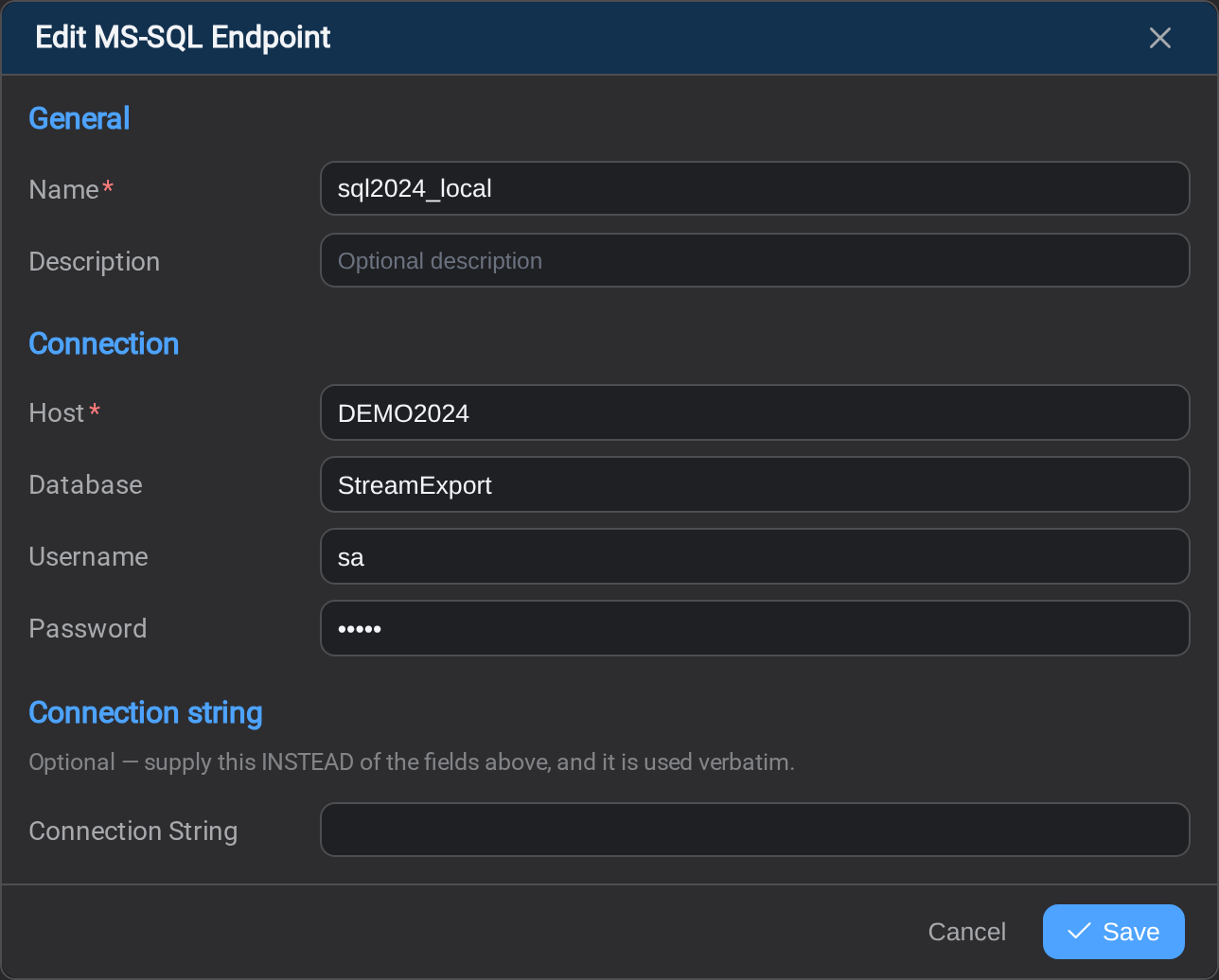
Two ways to give the same connection
| Field | Notes |
|---|---|
| Host | The server |
| Database | The database on it |
| Username | Optional: leave empty for Windows authentication |
| Password | Optional: stored encrypted, never sent back to the browser |
| Connection String | An alternative to all four above |
Use one or the other. If you fill in the connection string it is used exactly as
written and the individual fields are ignored, so a connection string with a
stale server name will not be rescued by a correct Host beside it.
An empty username is not "no credentials"
Leave Username empty and Stream connects with Windows authentication, as
the account StreamSvc, the Windows service that runs Stream's jobs, is running
under: its Log On As account,
or your own account when it is running as an application rather than a service.
That is often what you want, and it is worth being deliberate about:
- A SQL login has to exist for that account. A service running as
LocalSystempresents as the machine account,DOMAIN\MACHINE$, which is
rarely granted anything. Running the service as a domain account is the usual
answer. - The account needs rights on the target database: to write the table, and to
create it if the task creates tables. - It changes when the service does. Move StreamSvc to another host or another
service account and this endpoint authenticates as somebody else, with no edit
here. An endpoint that worked yesterday can fail for that reason alone.
Fill in Username and Password to use a SQL login instead, which is
independent of wherever the service happens to run.
Editing does not expose the password
On an existing endpoint the password field is empty with "unchanged: type to
replace". Leave it alone and the stored password is kept, on both Save and
Test Connection. You only ever type it to change it.
Where the rows go
The map name on the Mapping tab names the table. A / in that
name separates schema from table here: reporting/readings writes to thereporting schema.
That slash means something different on a lake
On Databricks and Snowflake a /
starts a partition folder instead, and the namespace is written with dots. If you
are converting a SQL task to one of those, re-read its name.
Before the first run
- The account can create or write the table. Stream reports a permissions
problem as a write failure in Logs, which reads like a task problem. - The column types are compatible with an existing table, if you are writing
into one that already exists.
Related
- Endpoints: the list, and how a connection is tested
- Oracle: the same form, addressed differently
- Task Mapping: the table name and column types