
AVEVA AF / PI Endpoint
AVEVA AF / PI
The only endpoint Stream can read from, and the one to set up first. Patterns
and tasks both need it before they can do anything.
It is also the only type that is both a source and a destination: a write-back task
sends calculated values back into PI channels through the same connection.
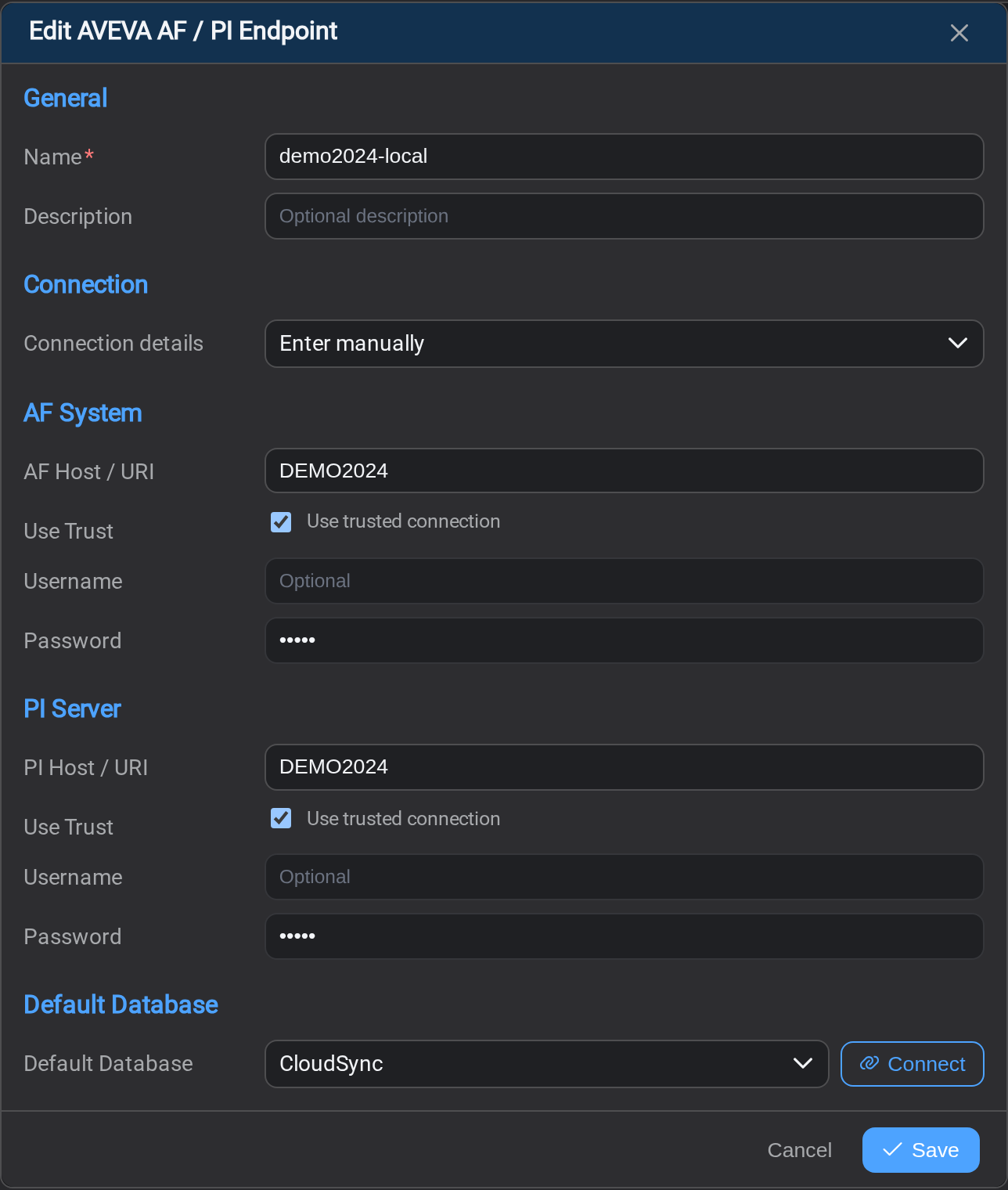
The form asks for more than the others, because AF and the Data Archive are two
servers, each with its own credentials.
General
Name is how tasks will refer to this connection, so choose something a
colleague would recognise a year from now. Description is free text and worth
using to record which plant or site this serves.
Connection
Connection details offers Enter manually, or copying the details from a
data source already registered in IOTA Vue. Copying is quicker and avoids a typo
in a hostname.
AF System and PI Server
One block each, with the same four fields:
| Field | Notes |
|---|---|
| AF Host / URI or PI Host / URI | The server. Often the same machine for both, but not always. |
| Use trusted connection | Authenticate as the Stream service's own Windows account. Tick this and leave the credentials empty. |
| Username | Optional: used only when Use trusted connection is clear |
| Password | Likewise |
They are separate on purpose. You can authenticate to AF with a trusted
connection and to the Data Archive with a named account, or vice versa. Set each to
what that server actually expects rather than assuming they match.
Default Database
Which AF database patterns start from. Select Connect to have Stream fetch the
list of databases it can see. If that list comes back empty, the connection is not
working yet, and that is a faster signal than saving and testing afterwards.
Use the account you mean
Stream reads (and, for a write-back task, writes) as these accounts. If an account
cannot see part of the hierarchy, patterns built on this endpoint will not match
assets there, and the pattern preview will simply come back short. That looks like
a pattern problem and is not one.
Select Save when the form is complete.
What's Next
With a PI System connection saved, you can describe the assets you want to work
with. Continue to Asset Patterns →.
Related
- Endpoints: the list, and how a connection is tested
- Asset Patterns: what this connection is read through